Category: Blog

  • terraform-libvirt-debian-syspass

    Projeto Descrição Autor Atualização
    terraform-libvirt-debian-syspass
    Esse projeto tem o objetivo de provisionar uma Máquina Virtual (VM) com o provider libvirt (QEMU/KVM) e o Sistema Operacional Debian GNU/Linux. Em seguida será executada a esse servidor o gerenciador de configuração Ansible (ansible-syspass) para instalar o sysPass Systems Password Manager com o Apache, mariaDB, PHP e toda sua configuração.
    Glauber GF (mcnd2)
    2022-10-22

    Provisionar uma Máquina Virtual com o libvirt (KVM)

    Image

    O projeto libvirt

    • é um kit de ferramentas para gerenciar plataformas de virtualização;
    • é acessível a partir de linguagem de programação como C, Python, Perl, Go e muito mais;
    • está licenciado sob licenças de código aberto GPL;
    • suporta KVM, Hypervisor.framework, QEMU, Xen, Virtuozzo, VMWare ESX, LXC, BHyve e mais;
    • tem como alvo Linux, FreeBSD, Windows e macOS;
    • é usado por muitas aplicações.

    Provisionando com o Terraform

    Nesse parte vou explicar alguns aspectos sobre o projeto.

    Temos 6 arquivos fundamentais para o projeto que são:

    • provider.tf – O provider Libvirt é usado para interagir com hipervisors libvirt do Linux.
      O provedor precisa ser configurado com as informações de conexão adequadas antes de poder ser usado.

    • libvirt.tf – Aqui fica a maior parte da configuração do provisionamento para o Terraform lê e interpretar o que esta sendo solicitado.

    Dentro de cada bloco temos as configurações com o objetivo de:

      Gerenciar um volume de armazenamento em libvirt;
      Gerenciar um pool de armazenamento em libvirt (*atualmente, apenas o conjunto de armazenamento baseado em diretório é suportado*);
      Gerenciar um recurso de rede VM no libvirt;
      Gerenciar um recurso de domínio VM dentro da libvirt; e
      Gerenciar um disco ISO cloud-init que pode ser usado para personalizar um domínio durante a primeira inicialização.
    
    • variable.tf – A linguagem Terraform inclui alguns tipos de blocos para solicitar ou publicar valores nomeados.
      Um valor local atribui um nome a uma expressão, para que se possa usar o nome várias vezes em um módulo em vez de repetir a expressão.

    • output.tf – Os valores de saída disponibilizam informações sobre a infraestrutura na linha de comando e podem expor informações para outras configurações do Terraform usarem.

    • config/network_config.yml – Esse formato de configuração de rede permite que os usuários personalizem as interfaces de rede de suas instâncias atribuindo configurações de sub-rede, rotas de criação de dispositivos virtuais (bonds, bridges, vlans) e configuração de DNS.

    • config/cloud_init.yml – O cloud-init é a maneira mais simples de realizar algumas tarefas por meio de dados do usuário. Usando a sintaxe cloud-config, o usuário pode especificar algumas coisas em um formato amigável.

    Isso inclue:

      O apt upgrade para ser executado na primeira inicialização;
      Um espelho apt diferente para ser usado;
      Fontes apt adicionais para ser adicionadas;
      Certas chaves SSH devem ser importadas;
      E muitos mais…
    

    Aplicando o projeto

    Para aplicar o projeto, basta executar os comandos terraform a seguir:

    • initPreparar o diretório de trabalho para outros comandos.
    terraform init
    
    • planMostrar as alterações exigidas pela configuração atual.
    terraform plan
    
    • applyCriar ou atualizar infraestrutura.
    terraform apply
    
    • destroyDestruir a infraestrutura criada anteriormente.
    terraform destroy
    

    Caso queira executar os comandos apply e destroy sem digitar yes para a confirmação, acrescente nos comandos o parâmetro –auto-approve, assim após executar o comando será executado sem pedir a interação da confirmação, não tem volta, rs!

    • –auto-approveIgnorar a aprovação interativa do plano antes de aplicar.

    terraform apply --auto-approve
    terraform destroy --auto-approve
    

    Licença

    GNU General Public License (Licença Pública Geral GNU), GNU GPL ou simplesmente GPL.

    GPLv3


    Copyright (c) 2022 Glauber GF (mcnd2)

    Este programa é um software livre: você pode redistribuí-lo e/ou modificar
    sob os termos da GNU General Public License conforme publicada por
    a Free Software Foundation, seja a versão 3 da Licença, ou
    (à sua escolha) qualquer versão posterior.

    Este programa é distribuído na esperança de ser útil,
    mas SEM QUALQUER GARANTIA; sem mesmo a garantia implícita de
    COMERCIALIZAÇÃO ou ADEQUAÇÃO A UM DETERMINADO FIM. Veja o
    GNU General Public License para mais detalhes.

    Você deve ter recebido uma cópia da Licença Pública Geral GNU
    junto com este programa. Caso contrário, consulte https://www.gnu.org/licenses/.

    This program is free software: you can redistribute it and/or modify
    it under the terms of the GNU General Public License as published by
    the Free Software Foundation, either version 3 of the License, or
    (at your option) any later version.

    This program is distributed in the hope that it will be useful,
    but WITHOUT ANY WARRANTY; without even the implied warranty of
    MERCHANTABILITY or FITNESS FOR A PARTICULAR PURPOSE. See the
    GNU General Public License for more details.

    You should have received a copy of the GNU General Public License
    along with this program. If not, see https://www.gnu.org/licenses/

    Visit original content creator repository

  • mchain-servlet-core

    MChain Middleware Framework

    Maven Central GitHub release (latest by date)

    MChain is a Java framework for managing middleware chains in Jakarta Servlets. It allows you to create a series of middleware components that process HTTP requests and responses in a chain, making it easy to handle common tasks such as authentication, logging, and response formatting.

    License

    This project is licensed under the GNU General Public License (GPL) v3.0. See the LICENSE file for details.

    Requirements

    • Java: 22 (should be compatible with other versions – not tested)
    • Jakarta Servlets: 6.0 (should be compatible with other versions – not tested)

    Getting Started

    To use the MChain framework, you’ll need a Jakarta Servlet container (such as Apache Tomcat) and a Java development environment.

    You can either build the framework from source, download a pre-built JAR file, or include it in your project via a dependency management tool like Maven or Gradle.

    import me.sunera.mchain.servlet;

    1. Using MChain as a Dependency

    You can easily include MChain in your project by adding it as a dependency in your build tool.

    1. Using Maven Add the following to your pom.xml file:

      dependency> <groupId>me.sunera.mchain</groupId> <artifactId>mchain-servlet-core</artifactId> <version>[VERSION]</version> <!-- Use the version you prefer --> </dependency>
    2. Using Gradle Add the following to your build.gradle file:

      implementation 'me.sunera.mchain:mchain-servlet-core:[VERSION]' //Use the version you prefer

    2. Using MChain Standalone JAR

    To use MChain as a standalone JAR, follow these steps:

    1. Download the JAR File

      Download the latest release file from the releases page.

    2. Include the JAR in Your Project

      • For a Java Application: Add the JAR file to your project’s classpath. This can typically be done by placing the JAR file in a libs directory and configuring your build tool to include it.

      • For a Servlet-based Application: If you are using an IDE like Eclipse or IntelliJ IDEA, you can add the JAR to your project by:

        • Eclipse: Right-click your project > Properties > Java Build Path > Libraries > Add JARs or Add External JARs.
        • IntelliJ IDEA: Right-click your project > Open Module Settings > Libraries > + > Java and select the JAR file.

    3. Build it Yourself

    1. Clone the Repository:

      git clone https://github.com/Dark-Zeus/mchain-servlet-core
      cd your-repository
    2. Build the Project:

      Make sure you have Maven installed. Run the following command to build the project:

      mvn clean install

      This will compile the code and package it into a JAR file.

    Usage

    1. Create Middleware Classes:

      Extend the Middleware class to create your middleware components. Each middleware should implement the run(HttpServletRequest request, HttpServletResponse response, MChain next) method.

      Middleware can be implemented in two ways: using default parameters or with additional inputs.

      1. Default : In the default approach, the middleware operates with parameters provided in the HttpServletRequest object. Here’s an example:

        public class ExampleMiddleware1 extends Middleware {
            @Override
            public void run(HttpServletRequest request, HttpServletResponse response, MChain next) {
                String auth = request.getAttriute("auth");
                try{
                    PrintWriter out = response.getWriter();
                    if(!request.getAttribute("auth").toString().isBlank()){
                        next.run();
                    }else{
                        out.print("Empty Authorization");
                    }
                }catch(Exception e){
        
                }
            }

        In this example, ExampleMiddleware1 checks for the presence of an "auth" attribute in the request. If the attribute is not blank, it proceeds to the next middleware; otherwise, it responds with an “Empty Authorization” message.

      2. Middleware with Additional Inputs : In this approach, middleware requires additional inputs, which are provided through the constructor. Here’s an example:

        public class ExampleMiddleware2 extends Middleware {
        
            String userType;
        
            public ExampleMiddleware2(String userType){
                this.userType = userType;
            }
        
            @Override
            public void run(HttpServletRequest request, HttpServletResponse response, MChain next) {
                    String user = request.getAttriute("user");
                    try{
                        PrintWriter out = response.getWriter();
                        if(request.getAttribute("auth").toString().equalsIgnoreCase(userType)){
                            next.run();
                        }else{
                            out.print("Wrong User Type");
                        }
                    }catch(Exception e){
        
                    }
            }
        }

        In this example, ExampleMiddleware2 uses an additional userType parameter provided via its constructor. It checks if the "user" attribute in the request matches the expected userType. If so, it proceeds to the next middleware; otherwise, it responds with a “Wrong User Type” message.

    2. Define a Controller:

      Extend the Controller class to handle the final logic after the middleware chain. (Similarly to Middleware additional parameters can be passed through the constructor)

      public class ExampleController extends Controller {
          @Override
          public void run(HttpServletRequest request, HttpServletResponse response) {
              System.out.println("Final Method");
              try {
                  if(!request.getAttribute("auth").toString().isBlank()){
                      out.print("Authorized");
                  }else{
                      out.print("Empty Authorization");
                  }
              } catch (IOException e) {
                  e.printStackTrace();
              }
          }
      }
    3. Using Defined Middlewares and Controllers in a Servlet

      Use the MChain Class within a servlet to apply your middleware and controller.

      @WebServlet("/api")
      public class ExampleServlet extends HttpServlet {
          @Override
          protected void doGet(HttpServletRequest request, HttpServletResponse response) 
              throws ServletException, IOException {
      
              response.setContentType("application/json");
              response.setCharacterEncoding("UTF-8");
      
              MChain app = new MChain(request, response);
      
              app.use(
                  new ExampleMiddleware1(),
                  new ExampleMiddleware2("admin"),
                  new ExampleController()
              );
          }
      }

    Contributing

    Feel free to contribute to this project by submitting issues, pull requests, or suggestions. Please ensure that any contributions are compatible with the GPL license.

    Acknowledgements

    • Jakarta Servlets for providing a powerful API for handling HTTP requests and responses.
    • Maven for project management and build automation.
    Visit original content creator repository
  • gnome-input-source-dbus-interface

    Keyboard Layout D-Bus Interface

    A GNOME extension that provides D-Bus interface to switching input sources,
    with 3 methods:

    • Set: set current input method
    • Get: get current input method
    • List: get list of available input methods

    Main purpose of this extension is to allow binding 1 shortcut to 1 input source,
    for example:

    • Ctrl+F1: source1
    • Ctrl+F2: source2
    • Ctrl+F3: source3

    This can be more convenient than classic cycling through input sources when
    you have 3 or more of them.

    Example usage

    So how do you assign shortcuts? First you get a list of available input sources:

    $ gdbus call --session --dest org.gnome.Shell --object-path /raiden_fumo/InputSources --method raiden_fumo.InputSources.List
    

    You’ll see output like

    ('us, ru, anthy',)
    

    Then you assign key bindings for commands like this:

    $ gdbus call --session --dest org.gnome.Shell --object-path /raiden_fumo/InputSources --method raiden_fumo.InputSources.Set anthy
    

    You can get current input source by executing:

    $ gdbus call --session --dest org.gnome.Shell --object-path /raiden_fumo/InputSources --method raiden_fumo.InputSources.Get
    

    GNOME Shell version compatibility

    Should work on all versions from 3.28 to 45 (built with preprocessor for compatibility).
    It will most likely still work on earlier versions, but it wasn’t tested on them.

    Building & installation

    To support both ECMAScript modules (GNOME 45+) and old imports approach, custom preprocessor is used.
    Preprocessor is written in Lua, so if you want to build the extension, you’ll have to have Lua installed.

    The entire build/installation process:

    $ git clone git@github.com:herrscher-of-sleeping/gnome-input-source-dbus-interface.git
    $ cd gnome-input-source-dbus-interface
    $ git submodule update --init
    # If you want to have built extension in build/ directory:
    # for GNOME 45:
    $ make build GNOME_VERSION=45
    # for older GNOME versions:
    $ make build
    
    # If you want to install this into your extensions directory:
    # WARNING: this installs extension in ~/.local/share/gnome-shell/extensions
    # if you have different paths (even though I'm unaware of such configurations),
    # build extension and install it from build/ directory manually
    # for GNOME 45:
    $ make install GNOME_VERSION=45
    # for older GNOME versions:
    $ make install
    

    Eval GJS note

    This extension was initially based on Eval GJS,
    deprecation of which has led to developing this one.

    Visit original content creator repository

  • hbase4s

    HBase4s beta

    Build Status Coverage Status Codacy Badge

    Scala wrapper for Java HBase client library that provides user-friendly type-safe API and query language to work with HBase database.

    HBase client has extended powerful API with huge amount of different sophisticated options. It won’t be possible to cover all those options with hbase4s core library. The goal is to build framework that will support all basic functionality and give user opportunity easily extend it for it’s particular goals.

    MVP (minimal valuable product) functionality includes:

    • support all CRUD operations with basic options (Get, Scan, Delete, Put)
    • user friendly query language that cover most popular HBase filters.

    Getting started

    Add following library to your project:

    libraryDependencies += "io.github.hbase4s" %% "hbase4s-core" % "0.1.2"

    Required:

    • Scala 2.11
    • HBase 1.3.1

    Note! This library is in beta phase and currently under active development. Provided API might be changed in next release without providing full backward compatibility. If you urgently need some features or have feedback on existing functionality feel free to contact authors in any available channel.

    Below is provided set of basic examples of establishing connectivity to HBase database, storing data to table, extracting (querying) it in different way and deleting.

    Some necessary imports.

    import io.github.hbase4s._
    import io.github.hbase4s.config.HBaseDefaultConfig
    import io.github.hbase4s.utils.HBaseImplicitUtils._

    Prerequisites. Specified table with relevant family name must already exists in HBase (it can be created via hbase shell)

      case class Event(index: Int, id: Long, enabled: Boolean, description: String)
    
      val Table = "transactions"
      val Family = "event"

    Establish connection to HBase server, point HBaseClient to work with “transactions” table

    val client = new HBaseClient(new HBaseConnection(new HBaseDefaultConfig), Table)

    Store Event case class in HBase table, under defined above columns family.

      val rowId = "unique-event-id"
      client.put(rowId, Event(546, 10L, enabled = true, "some description text"))

    As you might notice family name does not pass as parameter, by default it’s taken from lowercase case class name.

    Get. Retrieve data from HBase by key and transform it to instance of Event case class

      val eventInDb = client.get(rowId).map(_.typed[Event].asClass)

    This is the most efficient way to work with HBase (querying by row id), but there is also extensive query language that allows user build complex queries based on numerous conditions and columns.

    Scan. HBase4s provides two ways of querying data from HBase table results are represented as List of Event class

    1. string-based DSL
      val e1 = client.scan[String](
        "(event:description = \"some description text\") AND (event:index > int(18))"
      ).map(_.typed[Event].asClass)
    1. Scala static type DSL
      import io.github.hbase4s.filter._
      val e2 = client.scan[String](
        c("event", "description") === "oh-oh" & c("event", "index") > 18
      ).map(_.typed[Event].asClass)
      
      require(e1 == e2)

    Both DSLs filters translated to native java Scan object and should be equally efficient. Full set of supported querying features are described in reference guide.

    Remove by key:

      client.delete(rowId)

    Executable examples can be found in project hbase-examples

    Background

    HBase does not support data types. All columns and row keys are stored as array of bytes. Java HBase client works with the same single data structure. It’s user responsibility, properly transform your data types to and from bytes.

    Primary goal of HBase4s is to provides type-safe API for CRUD operations on top of Java HBase client.

    There are default implicit support for the following scala types: String, Boolean, Short, Int, Long, Float, Double, BigDecimal.

    User can use any of specified type to store, retrieve, get or delete data from HBase. Relevant type transformation applied both for row key and columns values.

    This list can be extended by registering relevant extractor. Feature under development (yet).

    While data is storing to HBase, there are no need to pass types explicitly, they will be inference implicitly. However, during retrieval there are no information, of what type is. So, API requires user to provide type information both for row key and params. Examples below.

    One of overridden version of put function accepts case classes as value parameter. Note, all fields of such case class have to be within specified above types.

    As shown in getting started example, results of scan, scanAll, get functions can also be transformed to provided case class type.

    Reference guide

    To learn more about HBase4s:

    Contributing

    Any help appreciated. User are welcome to try, raise issue or create pull request.

    License

    Source code and binaries are published under MIT License.

    Visit original content creator repository
  • windows11-to-linux-dev-journey

    From Windows 11 to Linux: A Full Stack Developer’s Journey

    I stand with Israel

    Welcome to the From Windows 11 to Linux:

    A Full Stack Developer’s Journey repository!

    In this repository, I document the comprehensive journey of transitioning from Windows 11 to Linux as the primary development environment for a full stack developer. Main reason for this migration is control over my privacy. Whether you’re new to Linux or an experienced user, this guide aims to provide a step-by-step account of the transition process, highlighting challenges, solutions, and best practices.

    Hire me

    Please send email if you consider to hire me.

    buymeacoffee

    Give a Star! ⭐

    If you like or are using this project to learn or start your solution, please give it a star. Thanks!

    Table of Contents

    Introduction

    After more than two decades of working within the confines of Windows, I’ve made the personal decision to break free from the clutches of *“Big Brother” technologies that relentlessly invade our privacy. In this pursuit, I’m transitioning to Ubuntu Linux, which, in stark contrast to Windows and iOS, shines as a symbol of privacy-conscious computing. While the Windows and iOS ecosystems often engage in extensive data collection without clear user consent, Ubuntu’s open-source ethos and community-driven development champion transparency and privacy.

    Furthermore, in an era where other operating systems are rapidly integrating AI co-pilots, Ubuntu stands strong in its commitment to safeguarding user data. Unlike certain AI-driven features that raise privacy concerns in Windows and iOS, Ubuntu’s community places a heavy emphasis on user consent, transparency, and data control. This solidifies Ubuntu’s status as the ideal choice for those like me who cherish their privacy in this increasingly surveilled digital world.

    As the ever-evolving landscape of software development beckons, I find myself embarking on a journey to explore new platforms and environments. This repository chronicles my transition from Windows 11 to Linux, not just as a mere shift in operating systems but as a quest to enhance productivity, streamline development workflows, and harness the unique advantages offered by the Linux ecosystem.

    For more details, refer to the Introduction.

    Prerequisites

    Before taking the plunge into the world of Ubuntu Linux, it’s essential to ensure you have a solid foundation in place. Here are the prerequisites and considerations based on my own experience:

    For more details, refer to the Prerequisites.

    Development Tools

    In the world of programming languages, compatibility is key. Each programming language must possess the ability to run seamlessly on different versions of compilers. This ensures that developers have the flexibility to work with various toolchains and environments, making their code accessible and adaptable.

    For more details, refer to the Development Tools.

    Other Tools

    For more details, refer to the Other Tools.

    Additional Resources

    Contributing

    Contributions to this repository are welcome! If you have suggestions, improvements, or additional content to share, please refer to the Contributing Guidelines.

    License

    This repository is licensed under the GPL-3.0 license.


    By sharing this journey, we hope to inspire fellow developers to explore Linux as a robust and efficient platform for their full stack development endeavors. If you have any questions, feedback, or stories to share about your own journey, feel free to contribute and connect with the developer community around this repository. Happy coding on Linux! 🐧🚀

    Visit original content creator repository
  • ToobAmp

    ToobAmp LV2 Guitar Amp Plugins

    v1.1.65

    The ToobAmp Project provides 22 high-quality LV2 audio plugins designed for use as guitar effects. The set of plugins provides a no-nonsense, foundation set of effects pedals to get you started. The plugins are primarily designed for use with the PiPedal project; but they also provide native X11/Cairo user-interfaces that allow them to be used with other LV2 plugin hosts and DAWs too.

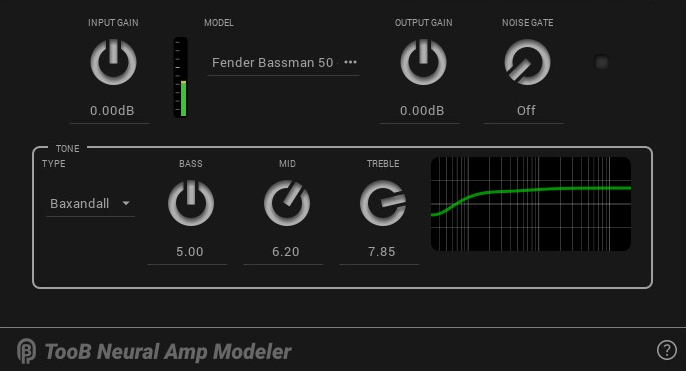
    • TooB Neural Amp Modeler (NAM models)
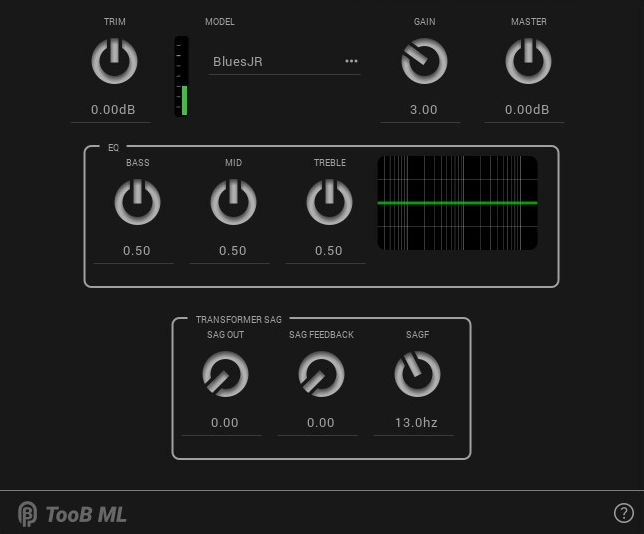
    • TooB ML neural network amp modeler (ML models).
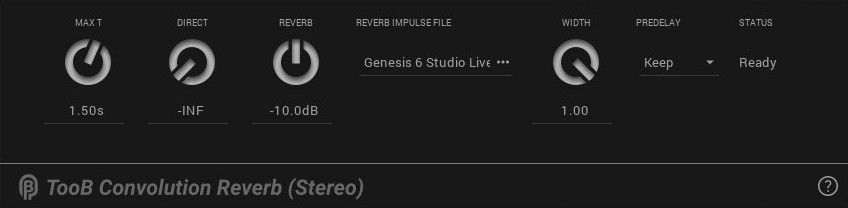
    • TooB Convolution Reverb (mono and stereo)
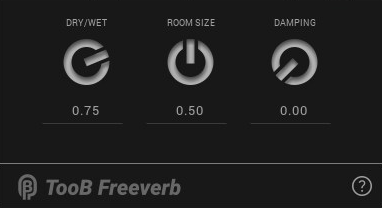
    • TooB Freeverb
    • TooB 4Looper (4 channel looper)
    • TooB One-Button Looper (for use with MIDI footswitches)
    • TooB Cab IR (convolution-based cab impulse responses)
    • TooB CabSim (lightweight cab modeler)
    • TooB Delay,
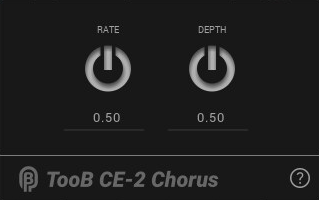
    • TooB CE-2 Chorus
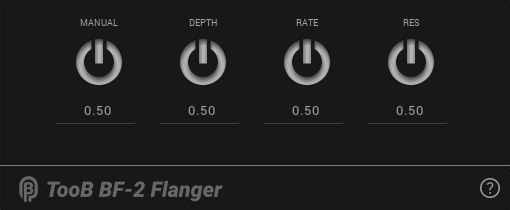
    • TooB BF-2 Flanger (mono and stereo)
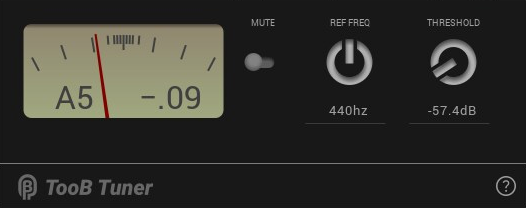
    • TooB Tuner
    • TooB Noise Gate
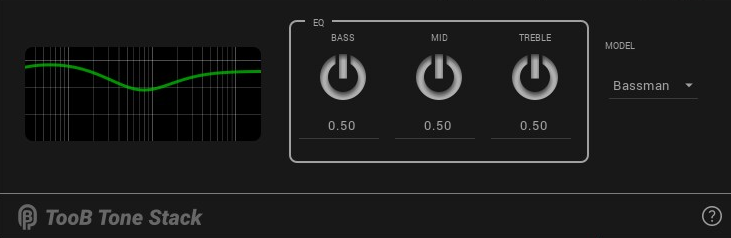
    • TooB Tone Stack (Fender, Marshall, and Baxandal tone stack)
    • TooB Input Stage (all-in-one noise gate, volume control, and EQ)
    • Utility plugins (TooB Spectrum Analyzer, TooB Input Recorder, TooB Volume, TooB Mix).

    Note that PiPedal always includes the latest ToobAmp plugins, so you should not install ToobAmp plugins on top of an existing PiPedal install.

    Untitled.1.mp4

    Install ToobAmp

    Do NOT install ToobAmp over an existing PiPedal install. PiPedal install packages include the latest and best versions of PiPedal plugins already.

    ToobAmp has been tested with Raspberry Pi OS Bookworm, and with Ubuntu 22.04 on amd64/x64, and aarch64, but should be compatible with other Debian-based Linux distributions.

    Downloads:

    Download the appropriate package for your sytems. Run the following shell commands to install the packages:

    sudo apt update
    cd ~/Downloads
    sudo apt-get install  ./toobamp_1.1.65_arm64.deb   # adjust as appropropriate
    

    Note that you MUST use apt-get, and NOT apt to install ToobAmp, becaue apt will not correctly install dependencies. You can safely ignore the permission warning given by apt-get.

    Plugins

    The ToobAmp package includes the following plugins.

    • TooB Neural Amp Modeler

      Guitar amp emulations based on Neural Net modeling. A port of Steven Atkinson’s astounding Neural Amp Modeler to LV2.

      Download model files from ToneHunt.org, or (if you’re feeling adventurous) train your own models.  


    • TooB ML Amplifier

      Artificial-Intelligence/Machine-Learning-based emulation of a number of different guitar amps and overdrive/distortion pedals based on Jatin Chowdhury’s ML Amplifier library.


    • TooB Convolution Reverb

      Simulates stereo reverb from pre-recorded stereo or Ambisonic b-format impulse response files. Mono and Stereo versions available.


    • TooB Freeverb

      A particularly well-balanced reverb, based on the legendary Freeverb reverb algorithm. Flexible controls, low coloration, low CPU usage, great sound!


    • TooB BF-2 Flanger

      Simulates a Boss BF-2 flanger. Available in mono and stereo versions.


    • TooB CE-2 Chorus

      A faithful digital replica of the Boss CE-2 chorus pedal.


    • TooB Cab IR

      Convolution-based Cab IR simulator, generating cabinetfrequency responses from pre-recorded impulse files.

    • TooB Noise Gate

      A flexible Noise Gate, than provide both Noise Gate and Slow Gear effects.

    • TooB Freeverb

      A particularly well-balanced reverb, based on the famous Freeverb algorithm. Flexible controls, low coloration, low CPU usage.


    • TooB Tone Stack

      Guitar amplifier tone stack. Select a Fender Bassman, Marshal JCM800, or Baxandall tone stack.


    • TooB Tuner

      An stable, accurate guitar tuner.


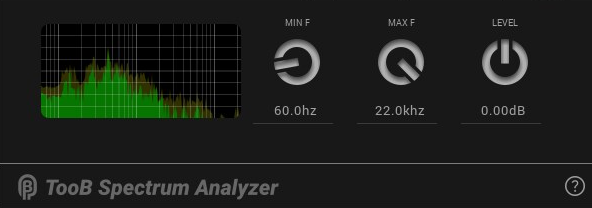
    • TooB Spectrum Analyzer

      Live-signal spectrum analyzer.


    • TooB Input Stage

      For initial conditioning of guitar input signals. Trim level, noise-gating, and an EQ section that provides low-pass, hi-pass and bright-boost filtering.


    • TooB Cab Simulator

      Rather than relying on expensive convolution effects, TooB CabSim provides an EQ section designed to allow easy emulation of guitar cabinet/microphone combinations.


    • TooB Mix

      Remix stereo channels. Independent level and pan position for left and right input channels.

    • TooB Volume

      A utility plugin to change volume levels of a signal.

    Building ToobAmp

    ToobAmp currently builds for Raspberry Pi OS, and Ubuntu 21.x; but it should be easy to build on any Debian derived distro. Pull requests for builds on other platforms are welcome.

    Prerequisites

    Run the following commands to install prerequisites:

     sudo apt update
     sudo apt install -y build-essential cmake ninja-build git
     sudo apt install -y lv2-dev libboost-iostreams-dev libflac++-dev zlib1g-dev libdbus-1-dev \
        libcairo2-dev libpango1.0-dev catch2 librsvg2-dev liblilv-dev  libxrandr-dev
    

    Clone the repository to your local machine.

    cd ~/src  # or wherever you keep your projects
    git clone https://github.com/rerdavies/ToobAmp.git
    

    Then, in the project directory, run:

     cd ~/src/ToobAmp
     git submodule update --init --recursive
    

    If you are using Visual Studio Code, you will still need to perform the previous command after cloning the project, since Visual Studio Code does not yet understand submodules.

    Building

    ToobAmp was built using Visual Studio Code, with CMake build files, so it’s easier to configure and build TooBAmp if you are using Visual Studio Code.

    If you are using Visual Studio code, install the Microsoft CMake extension, and load the project directory. Visual Studio Code will automaticalcly detect and configure the project. Build and configuration tools for the CMake project can be accessed on the Visual Studio Code status bar.

    If you are not usings Visual Studio Code, the following shell scripts, found in the root of the project, can be used to configure, build and install the project:

    ./config.sh     #configure the CMake project
    
    ./build.sh   # build the project.
    

    After a full build, run the following command to install ToobAmp:

    ./install.sh
    

    To build the debian package, run

    ./makePackage
    

    Please relocate components, and package information if you’re going to permanently fork ToobAmp to ensure that Debian packages don’t conflict with each other.

    If you are building the plugins for use with a host other than PiPedal, you should read this:

    https://rerdavies.github.io/pipedal/RTThreadPriority.htm
    

    Releases Notes

    v1.1.65

    New in this release:

    • TooB Neural Amp Modeler: New “Threaded” control, which allows NAM to use multiple CPU cores for processing.
    • Dynamically load a76-optimized plugin code when running on a Raspberry 5. Provides major performance improvements for TooB Neural Amp Modeler, and other plugins.

    v1.1.64

    New in this release:

    • Fixes a minor memory leak.

    v1.1.63

    New in this release:

    • New Toob Player plugin, allows you to play audio files.
    • Added a Gain control to TooB Tonestack
    • Update TooB Neural Amp Modeler help text to replace tonehunt.org references with tone3000.com.
    • Various edits and improvements to tooltip text, which are now prominently displayed in the PiPedal web interface.

    v1.1.62

    New in this release:

    • TooB Phaser
    • TooB GE-7 Graphics Equalizer

    v1.1.61

    New in this release:

    • Added TooB Noise Gate plugin.
    • Added TooB Mix plugin.
    • Added TooB Volume plugin.

    v1.1.60

    Bug fixes:

    • Improvements to TooB Tuner stability and accuracy.
    • TooB Tuner: Correct pitch detection of notes above Bb4

    v1.1.59

    • NEW TooB 4Looper, TooB One-Button Looper and TooB Record Input plugins.
    • Fixes for Reaper UI compatibility.
    Visit original content creator repository
  • xyza2pipe

    xyza2pipe

    The xyza2pipe provides a cross conversion environment of higher dimensional NMR spectra (2D/3D/4D) between the following systems: NMRPipe, UCSF/Sparky, NMRView, XEASY (16bit)/CARA and Azara/ANSIG. It is possible to read VNMR (Agilent, formerly Varian) or XWinNMR (Bruker) binary spectra. This is open-source version branched from Olivia project.

    Conversion, Transposing, Combination and 2D Projection

    • It supports transposing like NMRPipe does.
    • Usage and parameter arguments are equivalent to NMRPipe.
    • How to use:
      Make a pipeline between importer and exporter of any combinations below.
    • Conversion and transposing:

    Importer: File (reading) → Stream (stdout) Exporter: Stream (stdin) → File (writing)
    xyza2pipe --in filename.ft (2D)
    xyza2pipe --in filename%03d.ft (3D)
    xyza2pipe --in filename%02d%03d.ft (4D)
    ucsf2pipe --in filename.ucsf
    nv2pipe --in filename.nv
    xeasy2pipe --in filename.16
    azara2pipe --in filename.spc
    vnmr2pipe --in filename (2D)
    vnmr2pipe --in filename%d or filename (3D/4D)
    xwnmr2pipe --in 2rr/3rrr/4rrrr
    pipe2xyza --out filename.ft (2D)
    pipe2xyza --out filename%03d.ft (3D)
    pipe2xyza --out filename%02d%03d.ft (4D)
    pipe2ucsf --out filename.ucsf
    pipe2nv --out filename.nv
    pipe2xeasy --out filename.16
    pipe2azara --out filename.spc

    • Combination:

    Importer: File (reading) → Stream (stdout) Exporter: Stream (stdin) → File (writing)
    add2pipe --in1 file1.ft --in2 file2.ft
    adducsf2pipe --in1 file1.ucsf --in2 file2.ucsf
    addnv2pipe --in1 file1.nv --in2 file2.nv
    addxeasy2pipe --in1 file1.16 --in2 file2.16
    addazara2pipe --in1 file1.spc --in2 file2.spc
    addvnmr2pipe --in1 file1 --in2 file2
    addxwnmr2pipe --in1 file1 --in2 file2
    pipe2xyza --out filename.ft (2D)
    pipe2xyza --out filename%03d.ft (3D)
    pipe2xyza --out filename%02d%03d.ft (4D)
    pipe2ucsf --out filename.ucsf
    pipe2nv --out filename.nv
    pipe2xeasy --out filename.16
    pipe2azara --out filename.spc

    • 2D Projection:

    Importer: File (reading) → Stream (stdout) Projection Exporter: Stream (stdin) → File (writing)
    xyza2pipe --in filename%03d.ft (3D)
    xyza2pipe --in filename%02d%03d.ft (4D)
    ucsf2pipe --in filename.ucsf
    nv2pipe --in filename.nv
    xeasy2pipe --in filename.16
    azara2pipe --in filename.spc
    vnmr2pipe --in filename%d or filename (3D/4D)
    xwnmr2pipe --in 3rrr/4rrrr
    pipe2proj
    or
    pipe2proj --out proj.ft;
    pipe2ucsf --out proj.ucsf
    pipe2nv --out proj.nv
    pipe2xeasy --out proj.16
    pipe2azara --out proj.spc

    • Effective pipeline combinations (conversion and transposing):

    • To transpose NMRPipe formatted spectra, Type xyza2pipe | pipe2xyza.

    • To convert (UCSF→NMRPipe) and transpose, Type ucsf2pipe | pipe2xyza.

    • To convert (NMRView→NMRPipe) and transpose, Type nv2pipe | pipe2xyza.

    • To convert (XEASY→NMRPipe) and transpose, Type xeasy2pipe | pipe2xyza.

    • To convert (Azara→NMRPipe) and transpose, Type azara2pipe | pipe2xyza.

    • To transpose UCSF formatted spectra, Type ucsf2pipe | pipe2ucsf.

    • To convert (NMRView→UCSF) and transpose, Type nv2pipe | pipe2ucsf.

    • To convert (XEASY→UCSF) and transpose, Type xeasy2pipe | pipe2ucsf.

    • To convert (Azara→UCSF) and transpose, Type azara2pipe | pipe2ucsf.

    • To convert (NMRPipe→UCSF) and transpose, Type xyza2pipe | pipe2ucsf.

    • To transpose NMRView formatted spectra, Type nv2pipe | pipe2nv.

    • To convert (XEASY→NMRView) and transpose, Type xeasy2pipe | pipe2nv.

    • To convert (Azara→NMRView) and transpose, Type azara2pipe | pipe2nv.

    • To convert (NMRPipe→NMRView) and transpose, Type xyza2pipe | pipe2nv.

    • To convert (UCSF→NMRView) and transpose, Type ucsf2pipe | pipe2nv.

    • To transpose XEASY formatted spectra, Type xeasy2pipe | pipe2xeasy.

    • To convert (Azara→XEASY) and transpose, Type azara2pipe | pipe2xeasy.

    • To convert (NMRPipe→XEASY) and transpose, Type xyza2pipe | pipe2xeasy.

    • To convert (UCSF→XEASY) and transpose, Type ucsf2pipe | pipe2xeasy.

    • To convert (NMRView→XEASY) and transpose, Type nv2pipe | pipe2xeasy.

    • To transpose Azara formatted spectra, Type azara2pipe | pipe2azara.

    • To convert (NMRPipe→Azara) and transpose, Type xyza2pipe | pipe2azara.

    • To convert (UCSF→Azara) and transpose, Type ucsf2pipe | pipe2azara.

    • To convert (NMRView→Azara) and transpose, Type nv2pipe | pipe2azara.

    • To convert (XEASY→Azara) and transpose, Type xeasy2pipe | pipe2azara.

    • To convert (VNMR→NMRPipe) and transpose, Type vnmr2pipe | pipe2xyza.

    • To convert (VNMR→UCSF) and transpose, Type vnmr2pipe | pipe2ucsf.

    • To convert (VNMR→NMRView) and transpose, Type vnmr2pipe | pipe2nv.

    • To convert (VNMR→XEASY) and transpose, Type vnmr2pipe | pipe2xeasy.

    • To convert (VNMR→Azara) and transpose, Type vnmr2pipe | pipe2azara.

    • To convert (XWinNMR→NMRPipe) and transpose, Type xwnmr2pipe | pipe2xyza.

    • To convert (XWinNMR→UCSF) and transpose, Type xwnmr2pipe | pipe2ucsf.

    • To convert (XWinNMR→NMRView) and transpose, Type xwnmr2pipe | pipe2nv.

    • To convert (XWinNMR→XEASY) and transpose, Type xwnmr2pipe | pipe2xeasy.

    • To convert (XWinNMR→Azara) and transpose, Type xwnmr2pipe | pipe2azara.

    • Example:
      ucsf2pipe --in ./hnco.ucsf | pipe2xyza --out ./data/hnco%03d.ft
      nv2pipe --in ./hnca.nv | pipe2xyza --out ./data/hnca%03d.ft

    Special notes

    Monolithic NMRPipe format is compatible with this program. See examples below.

    • Example (how to handle monolithic NMRPipe format):
      xyza2pipe --in data%03d.ft > data.ft [NMRPipe(regular) → NMRPipe(monolithic)]
      pipe2xyza --out data%03d.ft < data.ft [NMRPipe(monolithic) → NMRPipe(regular)]
      pipe2ucsf --out data.ucsf < data.ft [NMRPipe(monolithic) → UCSF]
      pipe2nv --out data.nv < data.ft [NMRPipe(monolithic) → NMRView]

    Several format conversions, such as NMRView→NMRPipe, UCSF→NMRPipe, VNMR→NMRPipe and XEASY→NMRPipe, cause to lose apodization information. This may affect result of NOESY back calculation in the Olivia system. For that cases, the conversion program assumes square of sine bell window function for direct observation axis (NMRPipe -fn SP -off 0.5 -end 0.98 -pow 2.0) and sine bell window function for the other axes (NMRPipe -fn SP -off 0.5 -end 0.98 -pow 1.0). If you want to retrieve correct apodization conditions, You should apply Fourier Transform again using either NMRPipe or Azara. On the other hand, Azara→NMRPipe conversion succeeds all apodization information and phase settings. While NMRPipe→Azara conversion doesn’t.

    xeasy2pipe requires a parameter file. The parameter file name should be *.param (parameter) for *.16 (XEASY spectra) where the asterisk (*) indicates common name.
    azara2pipe also requires a parameter file, which was implicitly generated by Azara at the execution time. The parameter file name should be *.spc.par and the asterisk (*) indicates common name of the Azara spectra *.spc.
    vnmr2pipe always requires a path to a directory that includes either procpar or procpar3d file.
    xwnmr2pipe requires properly situated parameter files, known as acqu*s and proc*s.

    pipe2proj is used to make NMRPipe formatted 2D projection of spectra.

    • Example:
      xyza2pipe --in ./data/hnco%03d.ft | pipe2proj --out hnco_proj.ft

    add2pipe is used to combine two NMRPipe formatted spectra like addNMR command.

    • Example:
      add2pipe --in1 hsqc1.ft --in2 hsqc2.ft --add | pipe2xyza --out add_hsqc.ft
      add2pipe --in1 hsqc1.ft --in2 hsqc2.ft --sub | pipe2xyza --out diff_hsqc.ft

    defl2pipe is used to deflate dimensionarity of pseudo arrayed NMRPipe 3D/4D spectra into regular 2D spectra.

    Resolving endianness

    In relation to the [endianness](http://en.wikipedia.org/wiki/Endianness endianness) issue, program will try to detect proper endianess of file for CPU you used currently. However azara format is definitely endian dependent. If you fail in spectra conversion using pipe2azara, pipe2nv, pipe2ucsf, pipe2xeasy or pipe2xyza, Try to use ‘–swap’ option which reverses byte order of data region.

    NOTE: Improper endianness leads to crash viewer applications, to generate unrecognized file format or to generate radial spectra.

    • Example (how to settle the endianness issue in the case of conversion from Azara to NMRPipe):
      If the following pipeline command leads to generate radial spectra in some configuration.
      azara2pipe --in ./hsqc.spc | pipe2xyza --out ./hsqc.ft

    In our experience, ‘–swap’ option is helpful, where the option changes the byte order of data region of the NMRPipe file.
    azara2pipe --in ./hsqc.spc | pipe2xyza --swap --out ./hsqc.ft

    Acknowledgments

    Bruce D. Ray, NMR Center IUPUI, for general suggestions.
    Miklos Guttman, University of California, San Diego, for contribution to support UCSF format.
    Alexander Eletsky, University at Buffalo, for contribution to support XEASY format with code supply.
    Tomohide Saio, Rutgers University, for contribution to develop auto-repair mechanism against partially broken file.
    Pascal Mercier, University of Alberta, for alternative spectral regulation method relying on the origin frequency.
    Naohiro Kobayashi, Osaka University, for reporting NMRView spectra conversion issue.
    Nicholas Fitzkee, Mississippi State University, for reporting invalid Sparky spectra issue.
    Maxim Mayzel, Swedish NMR Centrum, for reporting invalid block size when data size is odd.
    Ekaterina Burakova, Ludwig-Maximilians-Universität München, for reporting issue in reading UCSF 4D spectra header.
    Douglas J. Kojetin, Scripps Research, for reporting issue of inconsistency between data point and block size in NMRView/NMRFx format.
    Henry Wetton, ETH Zurich, for reporting inconsistency of XEASY parameter filename.

    Release notes

    Oct 31, 2011: ucsf2pipe and nv2pipe commands detect incorrect header information and fix them automatically.
    Feb 14, 2012: Fixed vnmr2pipe problems (distorted 2D spectra and shifted 3D spectra) and added support for varian 3D/4D complex spectra.
    Feb 22, 2012: Fixed Makefile.
    Mar 16, 2012: Added alternative spectral regulation method relying on the origin frequency. (–orig option)
    Oct 01, 2012: Fixed auto repairing routine to support pseudo-zerofill of ucsf and nv file.
    Jan 30, 2014: Added defl2pipe command to enforce dimensionarity to 2D spectra.
    Jun 26, 2015: Fixed invalid header of NMRView and UCSF spectra file.
    Nov 16, 2015: pipe2xyza allows inline transposing if filename is not specified.
    Feb 07, 2017: Released v1.0.0 @ GitHub, Inc. under Apache License V2.
    Jun 30, 2017: Released v1.0.1, Fixed invalid header of UCSF spectra file.
    Jun 30, 2017: Released v1.0.2, Set big endian as default for UCSF spectra.
    Oct 12, 2017: Released v1.0.3, Fixed problem with block size when data size is odd.
    Feb 28, 2019: Released v1.0.4, Fixed problem in reading UCSF 4D spectra header.
    Feb 24, 2021: Released v1.0.5, Resolved inconsistency between data point and block size [Issue #3]. v1.0.3 and v1.0.4 users should update to v1.0.5 or later.
    Feb 20, 2024: Released v1.0.6, Fixed inconsistency of XEASY parameter filename [Issue #4].

    Executable files

    add2pipe: Two NMRPipe spectra → Combination → stdout stream

     add2pipe -i/--in1 inTemplate1(2D/3D/4D) -j/--in2 inTemplate2(2D/3D/4D)
      -a/--add inTemplate1 + inTemplate2 (default)
      -s/--sub inTemplate1 - inTemplate2
      -m/--mul inTemplate1 * inTemplate2
      --c1   Scale factor for inTemplate1 (default=1.0)
      --c2   Scale factor for inTemplate2 (default=1.0)
      --xLAB X-Axis Label
      --yLAB Y-Axis Label
      --zLAB Z-Axis Label
      --aLAB A-Axis Label
      --xCAR X-Axis Center [ppm]
      --yCAR Y-Axis Center [ppm]
      --zCAR Z-Axis Center [ppm]
      --aCAR A-Axis Center [ppm]
    

    addazara2pipe: Two Azara spectra → Combination → stdout stream

     addazara2pipe -i/--in1 inTemplate1(2D/3D/4D) -j/--in2 inTemplate2(2D/3D/4D)
      -a/--add inTemplate1 + inTemplate2 (default)
      -s/--sub inTemplate1 - inTemplate2
      -m/--mul inTemplate1 * inTemplate2
      --c1   Scale factor for inTemplate1 (default=1.0)
      --c2   Scale factor for inTemplate2 (default=1.0)
      --xLAB X-Axis Label
      --yLAB Y-Axis Label
      --zLAB Z-Axis Label
      --aLAB A-Axis Label
      --xCAR X-Axis Center [ppm]
      --yCAR Y-Axis Center [ppm]
      --zCAR Z-Axis Center [ppm]
      --aCAR A-Axis Center [ppm]
    

    addnv2pipe: Two NMRView spectra → Combination → stdout stream

     addnv2pipe -i/--in1 inTemplate1(2D/3D/4D) -j/--in2 inTemplate2(2D/3D/4D)
      -a/--add inTemplate1 + inTemplate2 (default)
      -s/--sub inTemplate1 - inTemplate2
      -m/--mul inTemplate1 * inTemplate2
      --c1   Scale factor for inTemplate1 (default=1.0)
      --c2   Scale factor for inTemplate2 (default=1.0)
      --xLAB X-Axis Label
      --yLAB Y-Axis Label
      --zLAB Z-Axis Label
      --aLAB A-Axis Label
      --xCAR X-Axis Center [ppm]
      --yCAR Y-Axis Center [ppm]
      --zCAR Z-Axis Center [ppm]
      --aCAR A-Axis Center [ppm]
    

    adducsf2pipe: Two UCSF spectra → Combination → stdout stream

     adducsf2pipe -i/--in1 inTemplate1(2D/3D/4D) -j/--in2 inTemplate2(2D/3D/4D)
      -a/--add inTemplate1 + inTemplate2 (default)
      -s/--sub inTemplate1 - inTemplate2
      -m/--mul inTemplate1 * inTemplate2
      --c1   Scale factor for inTemplate1 (default=1.0)
      --c2   Scale factor for inTemplate2 (default=1.0)
      --xLAB X-Axis Label
      --yLAB Y-Axis Label
      --zLAB Z-Axis Label
      --aLAB A-Axis Label
      --xCAR X-Axis Center [ppm]
      --yCAR Y-Axis Center [ppm]
      --zCAR Z-Axis Center [ppm]
      --aCAR A-Axis Center [ppm]
    

    adducsf2pipe: Two VNMR spectra → Combination → stdout stream

     addvnmr2pipe -i/--in1 inTemplate1(2D/3D/4D) -j/--in2 inTemplate2(2D/3D/4D)
      -p/--pdir1   A directory that includes VNMR procpar file1. (default=".")
      -q/--pdir2   A directory that includes VNMR procpar file2. (default=".")
      -a/--add inTemplate1 + inTemplate2 (default)
      -s/--sub inTemplate1 - inTemplate2
      -m/--mul inTemplate1 * inTemplate2
      --c1   Scale factor for inTemplate1 (default=1.0)
      --c2   Scale factor for inTemplate2 (default=1.0)
      --xLAB X-Axis Label
      --yLAB Y-Axis Label
      --zLAB Z-Axis Label
      --aLAB A-Axis Label
      --xCAR X-Axis Center [ppm]
      --yCAR Y-Axis Center [ppm]
      --zCAR Z-Axis Center [ppm]
      --aCAR A-Axis Center [ppm]
    

    addxeasy2pipe: Two XEASY spectra → Combination → stdout stream

     addxeasy2pipe -i/--in1 inTemplate1(2D/3D/4D) -j/--in2 inTemplate2(2D/3D/4D)
      -a/--add inTemplate1 + inTemplate2 (default)
      -s/--sub inTemplate1 - inTemplate2
      -m/--mul inTemplate1 * inTemplate2
      --c1   Scale factor for inTemplate1 (default=1.0)
      --c2   Scale factor for inTemplate2 (default=1.0)
      --xLAB X-Axis Label
      --yLAB Y-Axis Label
      --zLAB Z-Axis Label
      --aLAB A-Axis Label
      --xCAR X-Axis Center [ppm]
      --yCAR Y-Axis Center [ppm]
      --zCAR Z-Axis Center [ppm]
      --aCAR A-Axis Center [ppm]
    

    addxwnmr2pipe: Two XWinNMR spectra → Combination → stdout stream

     addxwnmr2pipe -i/--in1 inTemplate1(2D/3D/4D) -j/--in2 inTemplate2(2D/3D/4D)
      -a/--add inTemplate1 + inTemplate2 (default)
      -s/--sub inTemplate1 - inTemplate2
      -m/--mul inTemplate1 * inTemplate2
      --c1   Scale factor for inTemplate1 (default=1.0)
      --c2   Scale factor for inTemplate2 (default=1.0)
      --xLAB X-Axis Label
      --yLAB Y-Axis Label
      --zLAB Z-Axis Label
      --aLAB A-Axis Label
      --xCAR X-Axis Center [ppm]
      --yCAR Y-Axis Center [ppm]
      --zCAR Z-Axis Center [ppm]
      --aCAR A-Axis Center [ppm]
    

    azara2pipe: Azara spectra → stdout stream

     azara2pipe -i/--in inTemplate(2D/3D/4D)
      -x  Output X-Vector first
      -y  Output Y-Vector first
      -z  Output Z-Vector first
      -a  Output A-Vector first
      --xLAB  X-Axis Label
      --yLAB  Y-Axis Label
      --zLAB  Z-Axis Label
      --aLAB  A-Axis Label
      --xCAR  X-Axis Center [ppm]
      --yCAR  Y-Axis Center [ppm]
      --zCAR  Z-Axis Center [ppm]
      --aCAR  A-Axis Center [ppm]
    

    defl2pipe: Deflates dimensionarity into 2D spectra → stdout stream

     defl2pipe -i/--in inTemplate(2D/3D/4D)
      -x  Output X-Vector first
      -y  Output Y-Vector first
      -z  Output Z-Vector first
      -a  Output A-Vector first
      --xLAB  X-Axis Label
      --yLAB  Y-Axis Label
      --zLAB  Z-Axis Label
      --aLAB  A-Axis Label
      --xCAR  X-Axis Center [ppm]
      --yCAR  Y-Axis Center [ppm]
      --zCAR  Z-Axis Center [ppm]
      --aCAR  A-Axis Center [ppm]
    

    nv2pipe: NMRView spectra → stdout stream

     nv2pipe -i/--in inTemplate(2D/3D/4D)
      -x  Output X-Vector first
      -y  Output Y-Vector first
      -z  Output Z-Vector first
      -a  Output A-Vector first
      --xLAB  X-Axis Label
      --yLAB  Y-Axis Label
      --zLAB  Z-Axis Label
      --aLAB  A-Axis Label
      --xCAR  X-Axis Center [ppm]
      --yCAR  Y-Axis Center [ppm]
      --zCAR  Z-Axis Center [ppm]
      --aCAR  A-Axis Center [ppm]
      --ndim  dimCount
    

    pipe2azara: stdin stream → Azara spectra

     pipe2azara -o/--out outTemplate(2D/3D/4D)
      -s/--swap  Byteswap data
      -l/--left  Left shift observable carrier frequency by sw/2
      -g/--orig  Rely on the origin frequency for spectral regulation
      --xLAB  X-Axis Label
      --yLAB  Y-Axis Label
      --zLAB  Z-Axis Label
      --aLAB  A-Axis Label
      --xCAR  X-Axis Center [ppm]
      --yCAR  Y-Axis Center [ppm]
      --zCAR  Z-Axis Center [ppm]
      --aCAR  A-Axis Center [ppm]
    

    pipe2nv: stdin stream → NMRView spectra

     pipe2nv -o/--out outTemplate(2D/3D/4D)
      -s/--swap  Byteswap data
      -p/--pswap Byteswap parameter
      -l/--left  Left shift observable carrier frequency by sw/2
      -g/--orig  Rely on the origin frequency for spectral regulation
      --xLAB  X-Axis Label
      --yLAB  Y-Axis Label
      --zLAB  Z-Axis Label
      --aLAB  A-Axis Label
      --xCAR  X-Axis Center [ppm]
      --yCAR  Y-Axis Center [ppm]
      --zCAR  Z-Axis Center [ppm]
      --aCAR  A-Axis Center [ppm]
    

    pipe2proj: stdin stream → Integration → NMRPipe spectra (with –out option) or stdout stream (without –out option)

     pipe2proj -o/--out outTemplate
      -s/--swap  Byteswap data
      -r/--right Right shift observable carrier frequency by sw/2
      -a/--abs   Absolute mode
      --xLAB X-Axis Label
      --yLAB Y-Axis Label
      --zLAB Z-Axis Label
      --aLAB A-Axis Label
      --xCAR X-Axis Center [ppm]
      --yCAR Y-Axis Center [ppm]
      --zCAR Z-Axis Center [ppm]
      --aCAR A-Axis Center [ppm]
    

    pipe2ucsf: stdin stream → UCSF spectra

     pipe2ucsf -o/--out outTemplate(2D/3D/4D)
      -s/--swap  Byteswap data
      -l/--left  Left shift observable carrier frequency by sw/2
      -g/--orig  Rely on the origin frequency for spectral regulation
      --xLAB  X-Axis Label
      --yLAB  Y-Axis Label
      --zLAB  Z-Axis Label
      --aLAB  A-Axis Label
      --xCAR  X-Axis Center [ppm]
      --yCAR  Y-Axis Center [ppm]
      --zCAR  Z-Axis Center [ppm]
      --aCAR  A-Axis Center [ppm]
    

    pipe2xeasy: stdin stream → XEASY spectra

     pipe2xeasy -o/--out outTemplate(2D/3D/4D)
      -s/--swap  Byteswap data
      -l/--left  Left shift observable carrier frequency by sw/2
      -g/--orig  Rely on the origin frequency for spectral regulation
      --xLAB  X-Axis Label
      --yLAB  Y-Axis Label
      --zLAB  Z-Axis Label
      --aLAB  A-Axis Label
      --xCAR  X-Axis Center [ppm]
      --yCAR  Y-Axis Center [ppm]
      --zCAR  Z-Axis Center [ppm]
      --aCAR  A-Axis Center [ppm]
    

    pipe2xyza: stdin stream → NMRPipe spectra (with –out option) or stdout stream (without –out option)

     pipe2xyza -o/--out outTemplate(2D/3D/4D)
      -x  Output X-Vector first
      -y  Output Y-Vector first
      -z  Output Z-Vector first
      -a  Output A-Vector first
      -s/--swap  Byteswap data
      -r/--right Right shift observable carrier frequency by sw/2
      --xLAB  X-Axis Label
      --yLAB  Y-Axis Label
      --zLAB  Z-Axis Label
      --aLAB  A-Axis Label
      --xCAR  X-Axis Center [ppm]
      --yCAR  Y-Axis Center [ppm]
      --zCAR  Z-Axis Center [ppm]
      --aCAR  A-Axis Center [ppm]
    

    ucsf2pipe: UCSF spectra → stdout stream

     ucsf2pipe -i/--in inTemplate(2D/3D/4D)
      -x  Output X-Vector first
      -y  Output Y-Vector first
      -z  Output Z-Vector first
      -a  Output A-Vector first
      --xLAB  X-Axis Label
      --yLAB  Y-Axis Label
      --zLAB  Z-Axis Label
      --aLAB  A-Axis Label
      --xCAR  X-Axis Center [ppm]
      --yCAR  Y-Axis Center [ppm]
      --zCAR  Z-Axis Center [ppm]
      --aCAR  A-Axis Center [ppm]
      --ndim  dimCount
    

    vnmr2pipe: VNMR (Agilent, formerly Varian) binary spectra → stdout stream

     vnmr2pipe -i/--in inTemplate(2D/3D/4D)
      -p/--pdir    A directory that includes VNMR procpar file. (default=".")
      -e/--extLeft Extract left hand of X-Axis.
      -c/--adjCAR  Adjust indirect carrier frequencies according to 1H calibration.
      -h/--adjH2O  Adjust all carrier frequencies assuming transmitter is set to H2O solvent.
      -x  Output X-Vector first
      -y  Output Y-Vector first
      -z  Output Z-Vector first
      --xLAB  X-Axis Label
      --yLAB  Y-Axis Label
      --zLAB  Z-Axis Label
      --aLAB  A-Axis Label
      --xCAR  X-Axis Center [ppm]
      --yCAR  Y-Axis Center [ppm]
      --zCAR  Z-Axis Center [ppm]
      --aCAR  A-Axis Center [ppm]
      --ndim  dimCount
      NOTE: User's phase correction is effective only in hyper-complex 2D spectra.
      --rp  0th Order X-Phase [deg]
      --lp  1st Order X-Phase [deg]
      --rp1 0th Order Y-Phase [deg]
      --lp1 1st Order Y-Phase [deg]
    

    xeasy2pipe: XEASY spectra → stdout stream

     xeasy2pipe -i/--in inTemplate(2D/3D/4D)
      -x  Output X-Vector first
      -y  Output Y-Vector first
      -z  Output Z-Vector first
      -a  Output A-Vector first
      --xLAB  X-Axis Label
      --yLAB  Y-Axis Label
      --zLAB  Z-Axis Label
      --aLAB  A-Axis Label
      --xCAR  X-Axis Center [ppm]
      --yCAR  Y-Axis Center [ppm]
      --zCAR  Z-Axis Center [ppm]
      --aCAR  A-Axis Center [ppm]
    

    xwnmr2pipe: XWinNMR (Bruker) binary spectra → stdout stream

     xwnmr2pipe -i/--in inTemplate(2D/3D/4D)
      -e/--extLeft Extract left hand of X-Axis.
      -x  Output X-Vector first
      -y  Output Y-Vector first
      -z  Output Z-Vector first
      -a  Output A-Vector first
      --xLAB  X-Axis Label
      --yLAB  Y-Axis Label
      --zLAB  Z-Axis Label
      --aLAB  A-Axis Label
      --xCAR  X-Axis Center [ppm]
      --yCAR  Y-Axis Center [ppm]
      --zCAR  Z-Axis Center [ppm]
      --aCAR  A-Axis Center [ppm]
      --ndim  dimCount
    

    xyza2pipe: NMRPipe spectra → stdout stream

     xyza2pipe -i/--in inTemplate(2D/3D/4D)
      -x  Output X-Vector first
      -y  Output Y-Vector first
      -z  Output Z-Vector first
      -a  Output A-Vector first
      --xLAB  X-Axis Label
      --yLAB  Y-Axis Label
      --zLAB  Z-Axis Label
      --aLAB  A-Axis Label
      --xCAR  X-Axis Center [ppm]
      --yCAR  Y-Axis Center [ppm]
      --zCAR  Z-Axis Center [ppm]
      --aCAR  A-Axis Center [ppm]
    

    Visit original content creator repository

  • nsd-docker

    selfhosting-tools/nsd-docker

    ⚠️ This repo is DEPRECATED, see The-Kube-Way/nsd.

    Project Status: Moved to The-Kube-Way/nsd – The project has been moved to a new location, and the version at that location should be considered authoritative. to The-Kube-Way/nsd

    What is this software

    NSD is an authoritative only, high performance, simple and open source name server released under the BSD licence.
    This work is originally based on hardware/nsd-dnssec.

    Features

    • Lightweight & secure image (based on Alpine & multi-stage build: 4MB, no root process)
    • Latest NSD version with hardening compilation options
    • Helper scripts for generating ZSK and KSK keys, DS-Records management and zone signature
    • Optimized to be run on Kubernetes with ConfigMap

    Run on Kubernetes

    See KUBERNETES.md

    Run with Docker-compose

    version: '3.7'
    
    services:
      nsd:
        container_name: nsd
        restart: always
        image: selfhostingtools/nsd:latest
        read_only: true
        tmpfs:
          - /tmp
          - /var/db/nsd
        volumes:
          - /mnt/nsd/conf:/etc/nsd:ro
          - /mnt/nsd/zones:/zones
          - /mnt/nsd/keys:/keys:ro
        ports:
          - 53:53
          - 53:53/udp

    Ensure mount points match UID/GID (991 by default) used by nsd.

    /etc/nsd should be mounted read-only.
    /zones can be mounted read-only if helper scripts (e.g. for dnssec) are not used.
    /keys should be mounted read-only if keygen helper script is not used.

    Configuration example

    Put your dns zone file in /mnt/nsd/zones/domain.tld.

    $ORIGIN domain.tld.
    $TTL 3600
    
    ; SOA
    ; SOA record should be on one line to use provided helper scripts
    @   IN   SOA   ns1.domain.tld. hostmaster.domain.tld. 2016020202 7200 1800 1209600 86400
    
    ; NAMESERVERS
    @                   IN                NS                   ns1.domain.tld.
    @                   IN                NS                   ns2.domain.tld.
    
    ; A RECORDS
    @                   IN                A                    1.2.3.4
    www                 IN                A                    5.6.7.8
    
    ...
    

    Put the nsd config in /mnt/nsd/conf/nsd.conf.

    server:
      server-count: 1
      verbosity: 1
      hide-version: yes
      zonesdir: "/zones"
    
    zone:
      name: domain.tld
      #zonefile: domain.tld  # if not signed
      zonefile: domain.tld.signed

    Check the documentation to see all options.

    Check the configuration

    Check your zone and nsd configuration:

    cd /mnt/nsd
    docker run -it --rm -v $(pwd)/zones:/zones selfhostingtools/nsd nsd-checkzone domain.tld /zones/domain.tld
    docker run -it --rm -v $(pwd)/conf:/etc/nsd selfhostingtools/nsd nsd-checkconf /etc/nsd/nsd.conf

    Environment variables

    You may want to change the running user:

    Variable Description Type Default value
    UID nsd user id optional 991
    GID nsd group id optional 991

    Generating DNSSEC keys and signed zone

    Generate ZSK and KSK keys with ECDSAP384SHA384 algorithm:

    docker-compose exec nsd keygen domain.tld

    Keys will be stored in /keys/Kdomain.tld.{zsk,ksk}.{key,private}

    Then sign your dns zone (default expiration date is 1 month):

    docker-compose exec nsd signzone domain.tld
    
    # or set custom RRSIG RR expiration date:
    docker-compose exec nsd signzone domain.tld [YYYYMMDDhhmmss]

    ⚠️ Do not forget to add a cron task to sign your zone periodically to avoid the expiration of RRSIG RR records!

    This can be done using systemd timer on the host:

    /etc/systemd/system/nsd_update_signature.service

    [Unit]
    Description=NSD update signature
    
    [Service]
    Type=oneshot
    ExecStart=docker exec nsd signzone domain.tld
    

    /etc/systemd/system/nsd_update_signature.timer

    [Timer]
    OnCalendar=weekly
    
    [Install]
    WantedBy=multi-user.target
    

    Don’t forget to enable and start the timer!

    Show your DS-Records (Delegation Signer):

    docker-compose exec nsd ds-records domain.tld

    Ensure zonefile parameter is correctly set (e.g. domain.tld.signed) in nsd.conf.

    Restart nsd to take the changes into account:

    docker-compose restart nsd

    Build the image

    Build-time variables:

    • NSD_VERSION : version of NSD
    • GPG_FINGERPRINT : fingerprint of signing key
    • SHA256_HASH : SHA256 hash of NSD archive

    Visit original content creator repository

  • yascm

    yascm

    Build Status

    Yet Another Scheme Interpreter.

    Building

    The following packages need to install before build:

    • flex
    • bison

    Debian/Ubuntu Installation:

    sudo apt-get install flex bison
    

    Then run the following:

    git clone https://github.com/hmgle/yascm.git
    cd yascm
    make
    

    If having trouble installing flex/bison, or you don’t want to install flex/bison, you can clone the no-flex-bison branch:

    git clone -b no-flex-bison https://github.com/hmgle/yascm.git
    cd yascm
    make
    

    Examples

    • Recursion

    $ ./yascm
    welcome
    > (define (sum x)
        (if (= 0 x) 0 (+ x (sum (- x 1)))))
    ; ok
    > (sum 10000)
    50005000
    >
    
    • Closure

    $ ./yascm
    welcome
    > (define (add a)
        (lambda (b) (+ a b)))
    ; ok
    > (define add3 (add 3))
    ; ok
    > (add3 4)
    7
    > (define my-counter
        ((lambda (count)
           (lambda ()
             (set! count (+ count 1))
             count))
         0)
      )
    ; ok
    > (my-counter)
    1
    > (my-counter)
    2
    > (my-counter)
    3
    >
    

    $ ./yascm
    welcome
    > (define (A k x1 x2 x3 x4 x5)
        (define (B)
          (set! k (- k 1))
          (A k B x1 x2 x3 x4))
        (if (> 1 k)
            (+ (x4) (x5))
            (B)))
    ; ok
    > (A 10 (lambda () 1) (lambda () -1) (lambda () -1) (lambda () 1) (lambda () 0))
    -67
    > 
    

    $ ./yascm
    ; loading stdlib.scm
    ; done loading stdlib.scm
    welcome
    > (define Y
        (lambda (h)
          ((lambda (x) (x x))
           (lambda (g)
             (h (lambda args (apply (g g) args)))))))
    ; ok
    > (define fib
        (Y
          (lambda (f)
            (lambda (x)
              (if (> 2 x)
                  x
                  (+ (f (- x 1)) (f (- x 2))))))))
    ; ok
    > (fib 10)
    55
    

    $ ./yascm 
    ; loading stdlib.scm
    ; done loading stdlib.scm
    welcome
    > (load "examples/mceval.scm")
    ; loading examples/mceval.scm
    ; done loading examples/mceval.scm
    ; ok
    > (driver-loop)
    
    ;;; M-Eval input:
    (define fact (lambda (n) (if (= n 0) 1 (* n (fact (- n 1))))))
    
    ;;; M-Eval value:
    ok
    
    ;;; M-Eval input:
    (fact 5)
    
    ;;; M-Eval value:
    120
    

    $ ./yascm 
    ; loading stdlib.scm
    ; done loading stdlib.scm
    welcome
    > ((lambda (x)
          (list x (list (quote quote) x)))
        (quote
          (lambda (x)
            (list x (list (quote quote) x)))))
    

    Testing

    $ make test
    

    Authors

    LICENSE

    GPL Version 3, see the COPYING file included in the source distribution.

    Visit original content creator repository

  • php-FB-Page-Feed

                        GNU GENERAL PUBLIC LICENSE
                           Version 3, 29 June 2007
    
     Copyright (C) 2007 Free Software Foundation, Inc. <https://fsf.org/>
     Everyone is permitted to copy and distribute verbatim copies
     of this license document, but changing it is not allowed.
    
                                Preamble
    
      The GNU General Public License is a free, copyleft license for
    software and other kinds of works.
    
      The licenses for most software and other practical works are designed
    to take away your freedom to share and change the works.  By contrast,
    the GNU General Public License is intended to guarantee your freedom to
    share and change all versions of a program--to make sure it remains free
    software for all its users.  We, the Free Software Foundation, use the
    GNU General Public License for most of our software; it applies also to
    any other work released this way by its authors.  You can apply it to
    your programs, too.
    
      When we speak of free software, we are referring to freedom, not
    price.  Our General Public Licenses are designed to make sure that you
    have the freedom to distribute copies of free software (and charge for
    them if you wish), that you receive source code or can get it if you
    want it, that you can change the software or use pieces of it in new
    free programs, and that you know you can do these things.
    
      To protect your rights, we need to prevent others from denying you
    these rights or asking you to surrender the rights.  Therefore, you have
    certain responsibilities if you distribute copies of the software, or if
    you modify it: responsibilities to respect the freedom of others.
    
      For example, if you distribute copies of such a program, whether
    gratis or for a fee, you must pass on to the recipients the same
    freedoms that you received.  You must make sure that they, too, receive
    or can get the source code.  And you must show them these terms so they
    know their rights.
    
      Developers that use the GNU GPL protect your rights with two steps:
    (1) assert copyright on the software, and (2) offer you this License
    giving you legal permission to copy, distribute and/or modify it.
    
      For the developers' and authors' protection, the GPL clearly explains
    that there is no warranty for this free software.  For both users' and
    authors' sake, the GPL requires that modified versions be marked as
    changed, so that their problems will not be attributed erroneously to
    authors of previous versions.
    
      Some devices are designed to deny users access to install or run
    modified versions of the software inside them, although the manufacturer
    can do so.  This is fundamentally incompatible with the aim of
    protecting users' freedom to change the software.  The systematic
    pattern of such abuse occurs in the area of products for individuals to
    use, which is precisely where it is most unacceptable.  Therefore, we
    have designed this version of the GPL to prohibit the practice for those
    products.  If such problems arise substantially in other domains, we
    stand ready to extend this provision to those domains in future versions
    of the GPL, as needed to protect the freedom of users.
    
      Finally, every program is threatened constantly by software patents.
    States should not allow patents to restrict development and use of
    software on general-purpose computers, but in those that do, we wish to
    avoid the special danger that patents applied to a free program could
    make it effectively proprietary.  To prevent this, the GPL assures that
    patents cannot be used to render the program non-free.
    
      The precise terms and conditions for copying, distribution and
    modification follow.
    
                           TERMS AND CONDITIONS
    
      0. Definitions.
    
      "This License" refers to version 3 of the GNU General Public License.
    
      "Copyright" also means copyright-like laws that apply to other kinds of
    works, such as semiconductor masks.
    
      "The Program" refers to any copyrightable work licensed under this
    License.  Each licensee is addressed as "you".  "Licensees" and
    "recipients" may be individuals or organizations.
    
      To "modify" a work means to copy from or adapt all or part of the work
    in a fashion requiring copyright permission, other than the making of an
    exact copy.  The resulting work is called a "modified version" of the
    earlier work or a work "based on" the earlier work.
    
      A "covered work" means either the unmodified Program or a work based
    on the Program.
    
      To "propagate" a work means to do anything with it that, without
    permission, would make you directly or secondarily liable for
    infringement under applicable copyright law, except executing it on a
    computer or modifying a private copy.  Propagation includes copying,
    distribution (with or without modification), making available to the
    public, and in some countries other activities as well.
    
      To "convey" a work means any kind of propagation that enables other
    parties to make or receive copies.  Mere interaction with a user through
    a computer network, with no transfer of a copy, is not conveying.
    
      An interactive user interface displays "Appropriate Legal Notices"
    to the extent that it includes a convenient and prominently visible
    feature that (1) displays an appropriate copyright notice, and (2)
    tells the user that there is no warranty for the work (except to the
    extent that warranties are provided), that licensees may convey the
    work under this License, and how to view a copy of this License.  If
    the interface presents a list of user commands or options, such as a
    menu, a prominent item in the list meets this criterion.
    
      1. Source Code.
    
      The "source code" for a work means the preferred form of the work
    for making modifications to it.  "Object code" means any non-source
    form of a work.
    
      A "Standard Interface" means an interface that either is an official
    standard defined by a recognized standards body, or, in the case of
    interfaces specified for a particular programming language, one that
    is widely used among developers working in that language.
    
      The "System Libraries" of an executable work include anything, other
    than the work as a whole, that (a) is included in the normal form of
    packaging a Major Component, but which is not part of that Major
    Component, and (b) serves only to enable use of the work with that
    Major Component, or to implement a Standard Interface for which an
    implementation is available to the public in source code form.  A
    "Major Component", in this context, means a major essential component
    (kernel, window system, and so on) of the specific operating system
    (if any) on which the executable work runs, or a compiler used to
    produce the work, or an object code interpreter used to run it.
    
      The "Corresponding Source" for a work in object code form means all
    the source code needed to generate, install, and (for an executable
    work) run the object code and to modify the work, including scripts to
    control those activities.  However, it does not include the work's
    System Libraries, or general-purpose tools or generally available free
    programs which are used unmodified in performing those activities but
    which are not part of the work.  For example, Corresponding Source
    includes interface definition files associated with source files for
    the work, and the source code for shared libraries and dynamically
    linked subprograms that the work is specifically designed to require,
    such as by intimate data communication or control flow between those
    subprograms and other parts of the work.
    
      The Corresponding Source need not include anything that users
    can regenerate automatically from other parts of the Corresponding
    Source.
    
      The Corresponding Source for a work in source code form is that
    same work.
    
      2. Basic Permissions.
    
      All rights granted under this License are granted for the term of
    copyright on the Program, and are irrevocable provided the stated
    conditions are met.  This License explicitly affirms your unlimited
    permission to run the unmodified Program.  The output from running a
    covered work is covered by this License only if the output, given its
    content, constitutes a covered work.  This License acknowledges your
    rights of fair use or other equivalent, as provided by copyright law.
    
      You may make, run and propagate covered works that you do not
    convey, without conditions so long as your license otherwise remains
    in force.  You may convey covered works to others for the sole purpose
    of having them make modifications exclusively for you, or provide you
    with facilities for running those works, provided that you comply with
    the terms of this License in conveying all material for which you do
    not control copyright.  Those thus making or running the covered works
    for you must do so exclusively on your behalf, under your direction
    and control, on terms that prohibit them from making any copies of
    your copyrighted material outside their relationship with you.
    
      Conveying under any other circumstances is permitted solely under
    the conditions stated below.  Sublicensing is not allowed; section 10
    makes it unnecessary.
    
      3. Protecting Users' Legal Rights From Anti-Circumvention Law.
    
      No covered work shall be deemed part of an effective technological
    measure under any applicable law fulfilling obligations under article
    11 of the WIPO copyright treaty adopted on 20 December 1996, or
    similar laws prohibiting or restricting circumvention of such
    measures.
    
      When you convey a covered work, you waive any legal power to forbid
    circumvention of technological measures to the extent such circumvention
    is effected by exercising rights under this License with respect to
    the covered work, and you disclaim any intention to limit operation or
    modification of the work as a means of enforcing, against the work's
    users, your or third parties' legal rights to forbid circumvention of
    technological measures.
    
      4. Conveying Verbatim Copies.
    
      You may convey verbatim copies of the Program's source code as you
    receive it, in any medium, provided that you conspicuously and
    appropriately publish on each copy an appropriate copyright notice;
    keep intact all notices stating that this License and any
    non-permissive terms added in accord with section 7 apply to the code;
    keep intact all notices of the absence of any warranty; and give all
    recipients a copy of this License along with the Program.
    
      You may charge any price or no price for each copy that you convey,
    and you may offer support or warranty protection for a fee.
    
      5. Conveying Modified Source Versions.
    
      You may convey a work based on the Program, or the modifications to
    produce it from the Program, in the form of source code under the
    terms of section 4, provided that you also meet all of these conditions:
    
        a) The work must carry prominent notices stating that you modified
        it, and giving a relevant date.
    
        b) The work must carry prominent notices stating that it is
        released under this License and any conditions added under section
        7.  This requirement modifies the requirement in section 4 to
        "keep intact all notices".
    
        c) You must license the entire work, as a whole, under this
        License to anyone who comes into possession of a copy.  This
        License will therefore apply, along with any applicable section 7
        additional terms, to the whole of the work, and all its parts,
        regardless of how they are packaged.  This License gives no
        permission to license the work in any other way, but it does not
        invalidate such permission if you have separately received it.
    
        d) If the work has interactive user interfaces, each must display
        Appropriate Legal Notices; however, if the Program has interactive
        interfaces that do not display Appropriate Legal Notices, your
        work need not make them do so.
    
      A compilation of a covered work with other separate and independent
    works, which are not by their nature extensions of the covered work,
    and which are not combined with it such as to form a larger program,
    in or on a volume of a storage or distribution medium, is called an
    "aggregate" if the compilation and its resulting copyright are not
    used to limit the access or legal rights of the compilation's users
    beyond what the individual works permit.  Inclusion of a covered work
    in an aggregate does not cause this License to apply to the other
    parts of the aggregate.
    
      6. Conveying Non-Source Forms.
    
      You may convey a covered work in object code form under the terms
    of sections 4 and 5, provided that you also convey the
    machine-readable Corresponding Source under the terms of this License,
    in one of these ways:
    
        a) Convey the object code in, or embodied in, a physical product
        (including a physical distribution medium), accompanied by the
        Corresponding Source fixed on a durable physical medium
        customarily used for software interchange.
    
        b) Convey the object code in, or embodied in, a physical product
        (including a physical distribution medium), accompanied by a
        written offer, valid for at least three years and valid for as
        long as you offer spare parts or customer support for that product
        model, to give anyone who possesses the object code either (1) a
        copy of the Corresponding Source for all the software in the
        product that is covered by this License, on a durable physical
        medium customarily used for software interchange, for a price no
        more than your reasonable cost of physically performing this
        conveying of source, or (2) access to copy the
        Corresponding Source from a network server at no charge.
    
        c) Convey individual copies of the object code with a copy of the
        written offer to provide the Corresponding Source.  This
        alternative is allowed only occasionally and noncommercially, and
        only if you received the object code with such an offer, in accord
        with subsection 6b.
    
        d) Convey the object code by offering access from a designated
        place (gratis or for a charge), and offer equivalent access to the
        Corresponding Source in the same way through the same place at no
        further charge.  You need not require recipients to copy the
        Corresponding Source along with the object code.  If the place to
        copy the object code is a network server, the Corresponding Source
        may be on a different server (operated by you or a third party)
        that supports equivalent copying facilities, provided you maintain
        clear directions next to the object code saying where to find the
        Corresponding Source.  Regardless of what server hosts the
        Corresponding Source, you remain obligated to ensure that it is
        available for as long as needed to satisfy these requirements.
    
        e) Convey the object code using peer-to-peer transmission, provided
        you inform other peers where the object code and Corresponding
        Source of the work are being offered to the general public at no
        charge under subsection 6d.
    
      A separable portion of the object code, whose source code is excluded
    from the Corresponding Source as a System Library, need not be
    included in conveying the object code work.
    
      A "User Product" is either (1) a "consumer product", which means any
    tangible personal property which is normally used for personal, family,
    or household purposes, or (2) anything designed or sold for incorporation
    into a dwelling.  In determining whether a product is a consumer product,
    doubtful cases shall be resolved in favor of coverage.  For a particular
    product received by a particular user, "normally used" refers to a
    typical or common use of that class of product, regardless of the status
    of the particular user or of the way in which the particular user
    actually uses, or expects or is expected to use, the product.  A product
    is a consumer product regardless of whether the product has substantial
    commercial, industrial or non-consumer uses, unless such uses represent
    the only significant mode of use of the product.
    
      "Installation Information" for a User Product means any methods,
    procedures, authorization keys, or other information required to install
    and execute modified versions of a covered work in that User Product from
    a modified version of its Corresponding Source.  The information must
    suffice to ensure that the continued functioning of the modified object
    code is in no case prevented or interfered with solely because
    modification has been made.
    
      If you convey an object code work under this section in, or with, or
    specifically for use in, a User Product, and the conveying occurs as
    part of a transaction in which the right of possession and use of the
    User Product is transferred to the recipient in perpetuity or for a
    fixed term (regardless of how the transaction is characterized), the
    Corresponding Source conveyed under this section must be accompanied
    by the Installation Information.  But this requirement does not apply
    if neither you nor any third party retains the ability to install
    modified object code on the User Product (for example, the work has
    been installed in ROM).
    
      The requirement to provide Installation Information does not include a
    requirement to continue to provide support service, warranty, or updates
    for a work that has been modified or installed by the recipient, or for
    the User Product in which it has been modified or installed.  Access to a
    network may be denied when the modification itself materially and
    adversely affects the operation of the network or violates the rules and
    protocols for communication across the network.
    
      Corresponding Source conveyed, and Installation Information provided,
    in accord with this section must be in a format that is publicly
    documented (and with an implementation available to the public in
    source code form), and must require no special password or key for
    unpacking, reading or copying.
    
      7. Additional Terms.
    
      "Additional permissions" are terms that supplement the terms of this
    License by making exceptions from one or more of its conditions.
    Additional permissions that are applicable to the entire Program shall
    be treated as though they were included in this License, to the extent
    that they are valid under applicable law.  If additional permissions
    apply only to part of the Program, that part may be used separately
    under those permissions, but the entire Program remains governed by
    this License without regard to the additional permissions.
    
      When you convey a copy of a covered work, you may at your option
    remove any additional permissions from that copy, or from any part of
    it.  (Additional permissions may be written to require their own
    removal in certain cases when you modify the work.)  You may place
    additional permissions on material, added by you to a covered work,
    for which you have or can give appropriate copyright permission.
    
      Notwithstanding any other provision of this License, for material you
    add to a covered work, you may (if authorized by the copyright holders of
    that material) supplement the terms of this License with terms:
    
        a) Disclaiming warranty or limiting liability differently from the
        terms of sections 15 and 16 of this License; or
    
        b) Requiring preservation of specified reasonable legal notices or
        author attributions in that material or in the Appropriate Legal
        Notices displayed by works containing it; or
    
        c) Prohibiting misrepresentation of the origin of that material, or
        requiring that modified versions of such material be marked in
        reasonable ways as different from the original version; or
    
        d) Limiting the use for publicity purposes of names of licensors or
        authors of the material; or
    
        e) Declining to grant rights under trademark law for use of some
        trade names, trademarks, or service marks; or
    
        f) Requiring indemnification of licensors and authors of that
        material by anyone who conveys the material (or modified versions of
        it) with contractual assumptions of liability to the recipient, for
        any liability that these contractual assumptions directly impose on
        those licensors and authors.
    
      All other non-permissive additional terms are considered "further
    restrictions" within the meaning of section 10.  If the Program as you
    received it, or any part of it, contains a notice stating that it is
    governed by this License along with a term that is a further
    restriction, you may remove that term.  If a license document contains
    a further restriction but permits relicensing or conveying under this
    License, you may add to a covered work material governed by the terms
    of that license document, provided that the further restriction does
    not survive such relicensing or conveying.
    
      If you add terms to a covered work in accord with this section, you
    must place, in the relevant source files, a statement of the
    additional terms that apply to those files, or a notice indicating
    where to find the applicable terms.
    
      Additional terms, permissive or non-permissive, may be stated in the
    form of a separately written license, or stated as exceptions;
    the above requirements apply either way.
    
      8. Termination.
    
      You may not propagate or modify a covered work except as expressly
    provided under this License.  Any attempt otherwise to propagate or
    modify it is void, and will automatically terminate your rights under
    this License (including any patent licenses granted under the third
    paragraph of section 11).
    
      However, if you cease all violation of this License, then your
    license from a particular copyright holder is reinstated (a)
    provisionally, unless and until the copyright holder explicitly and
    finally terminates your license, and (b) permanently, if the copyright
    holder fails to notify you of the violation by some reasonable means
    prior to 60 days after the cessation.
    
      Moreover, your license from a particular copyright holder is
    reinstated permanently if the copyright holder notifies you of the
    violation by some reasonable means, this is the first time you have
    received notice of violation of this License (for any work) from that
    copyright holder, and you cure the violation prior to 30 days after
    your receipt of the notice.
    
      Termination of your rights under this section does not terminate the
    licenses of parties who have received copies or rights from you under
    this License.  If your rights have been terminated and not permanently
    reinstated, you do not qualify to receive new licenses for the same
    material under section 10.
    
      9. Acceptance Not Required for Having Copies.
    
      You are not required to accept this License in order to receive or
    run a copy of the Program.  Ancillary propagation of a covered work
    occurring solely as a consequence of using peer-to-peer transmission
    to receive a copy likewise does not require acceptance.  However,
    nothing other than this License grants you permission to propagate or
    modify any covered work.  These actions infringe copyright if you do
    not accept this License.  Therefore, by modifying or propagating a
    covered work, you indicate your acceptance of this License to do so.
    
      10. Automatic Licensing of Downstream Recipients.
    
      Each time you convey a covered work, the recipient automatically
    receives a license from the original licensors, to run, modify and
    propagate that work, subject to this License.  You are not responsible
    for enforcing compliance by third parties with this License.
    
      An "entity transaction" is a transaction transferring control of an
    organization, or substantially all assets of one, or subdividing an
    organization, or merging organizations.  If propagation of a covered
    work results from an entity transaction, each party to that
    transaction who receives a copy of the work also receives whatever
    licenses to the work the party's predecessor in interest had or could
    give under the previous paragraph, plus a right to possession of the
    Corresponding Source of the work from the predecessor in interest, if
    the predecessor has it or can get it with reasonable efforts.
    
      You may not impose any further restrictions on the exercise of the
    rights granted or affirmed under this License.  For example, you may
    not impose a license fee, royalty, or other charge for exercise of
    rights granted under this License, and you may not initiate litigation
    (including a cross-claim or counterclaim in a lawsuit) alleging that
    any patent claim is infringed by making, using, selling, offering for
    sale, or importing the Program or any portion of it.
    
      11. Patents.
    
      A "contributor" is a copyright holder who authorizes use under this
    License of the Program or a work on which the Program is based.  The
    work thus licensed is called the contributor's "contributor version".
    
      A contributor's "essential patent claims" are all patent claims
    owned or controlled by the contributor, whether already acquired or
    hereafter acquired, that would be infringed by some manner, permitted
    by this License, of making, using, or selling its contributor version,
    but do not include claims that would be infringed only as a
    consequence of further modification of the contributor version.  For
    purposes of this definition, "control" includes the right to grant
    patent sublicenses in a manner consistent with the requirements of
    this License.
    
      Each contributor grants you a non-exclusive, worldwide, royalty-free
    patent license under the contributor's essential patent claims, to
    make, use, sell, offer for sale, import and otherwise run, modify and
    propagate the contents of its contributor version.
    
      In the following three paragraphs, a "patent license" is any express
    agreement or commitment, however denominated, not to enforce a patent
    (such as an express permission to practice a patent or covenant not to
    sue for patent infringement).  To "grant" such a patent license to a
    party means to make such an agreement or commitment not to enforce a
    patent against the party.
    
      If you convey a covered work, knowingly relying on a patent license,
    and the Corresponding Source of the work is not available for anyone
    to copy, free of charge and under the terms of this License, through a
    publicly available network server or other readily accessible means,
    then you must either (1) cause the Corresponding Source to be so
    available, or (2) arrange to deprive yourself of the benefit of the
    patent license for this particular work, or (3) arrange, in a manner
    consistent with the requirements of this License, to extend the patent
    license to downstream recipients.  "Knowingly relying" means you have
    actual knowledge that, but for the patent license, your conveying the
    covered work in a country, or your recipient's use of the covered work
    in a country, would infringe one or more identifiable patents in that
    country that you have reason to believe are valid.
    
      If, pursuant to or in connection with a single transaction or
    arrangement, you convey, or propagate by procuring conveyance of, a
    covered work, and grant a patent license to some of the parties
    receiving the covered work authorizing them to use, propagate, modify
    or convey a specific copy of the covered work, then the patent license
    you grant is automatically extended to all recipients of the covered
    work and works based on it.
    
      A patent license is "discriminatory" if it does not include within
    the scope of its coverage, prohibits the exercise of, or is
    conditioned on the non-exercise of one or more of the rights that are
    specifically granted under this License.  You may not convey a covered
    work if you are a party to an arrangement with a third party that is
    in the business of distributing software, under which you make payment
    to the third party based on the extent of your activity of conveying
    the work, and under which the third party grants, to any of the
    parties who would receive the covered work from you, a discriminatory
    patent license (a) in connection with copies of the covered work
    conveyed by you (or copies made from those copies), or (b) primarily
    for and in connection with specific products or compilations that
    contain the covered work, unless you entered into that arrangement,
    or that patent license was granted, prior to 28 March 2007.
    
      Nothing in this License shall be construed as excluding or limiting
    any implied license or other defenses to infringement that may
    otherwise be available to you under applicable patent law.
    
      12. No Surrender of Others' Freedom.
    
      If conditions are imposed on you (whether by court order, agreement or
    otherwise) that contradict the conditions of this License, they do not
    excuse you from the conditions of this License.  If you cannot convey a
    covered work so as to satisfy simultaneously your obligations under this
    License and any other pertinent obligations, then as a consequence you may
    not convey it at all.  For example, if you agree to terms that obligate you
    to collect a royalty for further conveying from those to whom you convey
    the Program, the only way you could satisfy both those terms and this
    License would be to refrain entirely from conveying the Program.
    
      13. Use with the GNU Affero General Public License.
    
      Notwithstanding any other provision of this License, you have
    permission to link or combine any covered work with a work licensed
    under version 3 of the GNU Affero General Public License into a single
    combined work, and to convey the resulting work.  The terms of this
    License will continue to apply to the part which is the covered work,
    but the special requirements of the GNU Affero General Public License,
    section 13, concerning interaction through a network will apply to the
    combination as such.
    
      14. Revised Versions of this License.
    
      The Free Software Foundation may publish revised and/or new versions of
    the GNU General Public License from time to time.  Such new versions will
    be similar in spirit to the present version, but may differ in detail to
    address new problems or concerns.
    
      Each version is given a distinguishing version number.  If the
    Program specifies that a certain numbered version of the GNU General
    Public License "or any later version" applies to it, you have the
    option of following the terms and conditions either of that numbered
    version or of any later version published by the Free Software
    Foundation.  If the Program does not specify a version number of the
    GNU General Public License, you may choose any version ever published
    by the Free Software Foundation.
    
      If the Program specifies that a proxy can decide which future
    versions of the GNU General Public License can be used, that proxy's
    public statement of acceptance of a version permanently authorizes you
    to choose that version for the Program.
    
      Later license versions may give you additional or different
    permissions.  However, no additional obligations are imposed on any
    author or copyright holder as a result of your choosing to follow a
    later version.
    
      15. Disclaimer of Warranty.
    
      THERE IS NO WARRANTY FOR THE PROGRAM, TO THE EXTENT PERMITTED BY
    APPLICABLE LAW.  EXCEPT WHEN OTHERWISE STATED IN WRITING THE COPYRIGHT
    HOLDERS AND/OR OTHER PARTIES PROVIDE THE PROGRAM "AS IS" WITHOUT WARRANTY
    OF ANY KIND, EITHER EXPRESSED OR IMPLIED, INCLUDING, BUT NOT LIMITED TO,
    THE IMPLIED WARRANTIES OF MERCHANTABILITY AND FITNESS FOR A PARTICULAR
    PURPOSE.  THE ENTIRE RISK AS TO THE QUALITY AND PERFORMANCE OF THE PROGRAM
    IS WITH YOU.  SHOULD THE PROGRAM PROVE DEFECTIVE, YOU ASSUME THE COST OF
    ALL NECESSARY SERVICING, REPAIR OR CORRECTION.
    
      16. Limitation of Liability.
    
      IN NO EVENT UNLESS REQUIRED BY APPLICABLE LAW OR AGREED TO IN WRITING
    WILL ANY COPYRIGHT HOLDER, OR ANY OTHER PARTY WHO MODIFIES AND/OR CONVEYS
    THE PROGRAM AS PERMITTED ABOVE, BE LIABLE TO YOU FOR DAMAGES, INCLUDING ANY
    GENERAL, SPECIAL, INCIDENTAL OR CONSEQUENTIAL DAMAGES ARISING OUT OF THE
    USE OR INABILITY TO USE THE PROGRAM (INCLUDING BUT NOT LIMITED TO LOSS OF
    DATA OR DATA BEING RENDERED INACCURATE OR LOSSES SUSTAINED BY YOU OR THIRD
    PARTIES OR A FAILURE OF THE PROGRAM TO OPERATE WITH ANY OTHER PROGRAMS),
    EVEN IF SUCH HOLDER OR OTHER PARTY HAS BEEN ADVISED OF THE POSSIBILITY OF
    SUCH DAMAGES.
    
      17. Interpretation of Sections 15 and 16.
    
      If the disclaimer of warranty and limitation of liability provided
    above cannot be given local legal effect according to their terms,
    reviewing courts shall apply local law that most closely approximates
    an absolute waiver of all civil liability in connection with the
    Program, unless a warranty or assumption of liability accompanies a
    copy of the Program in return for a fee.
    
                         END OF TERMS AND CONDITIONS
    
                How to Apply These Terms to Your New Programs
    
      If you develop a new program, and you want it to be of the greatest
    possible use to the public, the best way to achieve this is to make it
    free software which everyone can redistribute and change under these terms.
    
      To do so, attach the following notices to the program.  It is safest
    to attach them to the start of each source file to most effectively
    state the exclusion of warranty; and each file should have at least
    the "copyright" line and a pointer to where the full notice is found.
    
        <one line to give the program's name and a brief idea of what it does.>
        Copyright (C) <year>  <name of author>
    
        This program is free software: you can redistribute it and/or modify
        it under the terms of the GNU General Public License as published by
        the Free Software Foundation, either version 3 of the License, or
        (at your option) any later version.
    
        This program is distributed in the hope that it will be useful,
        but WITHOUT ANY WARRANTY; without even the implied warranty of
        MERCHANTABILITY or FITNESS FOR A PARTICULAR PURPOSE.  See the
        GNU General Public License for more details.
    
        You should have received a copy of the GNU General Public License
        along with this program.  If not, see <https://www.gnu.org/licenses/>.
    
    Also add information on how to contact you by electronic and paper mail.
    
      If the program does terminal interaction, make it output a short
    notice like this when it starts in an interactive mode:
    
        <program>  Copyright (C) <year>  <name of author>
        This program comes with ABSOLUTELY NO WARRANTY; for details type `show w'.
        This is free software, and you are welcome to redistribute it
        under certain conditions; type `show c' for details.
    
    The hypothetical commands `show w' and `show c' should show the appropriate
    parts of the General Public License.  Of course, your program's commands
    might be different; for a GUI interface, you would use an "about box".
    
      You should also get your employer (if you work as a programmer) or school,
    if any, to sign a "copyright disclaimer" for the program, if necessary.
    For more information on this, and how to apply and follow the GNU GPL, see
    <https://www.gnu.org/licenses/>.
    
      The GNU General Public License does not permit incorporating your program
    into proprietary programs.  If your program is a subroutine library, you
    may consider it more useful to permit linking proprietary applications with
    the library.  If this is what you want to do, use the GNU Lesser General
    Public License instead of this License.  But first, please read
    <https://www.gnu.org/licenses/why-not-lgpl.html>.
    

    Visit original content creator repository