beast is a simple tool to execute and post-process a set of google benchmarks. The basic feature is plotting multiple benchmark results in one single plot (powered by plotly). It is also possible to configure access to a mongoDB database and push results to it.
beast will search for executables with a predefined regular expression pattern in your current working directory as a default. Check beast --help for an overview about possible options. We will use the C++ example from the repo directory to show the basic functionality (of course you will need to clone the repo for that):
cd to the example_benchmark directory and call:
mkdir build
cd build
cmake ..
cmake --build . --target all
you will get some small benchmark executables which can be plotted with beast:
Assuming a successful database setup, the only thing which is left to be done is a little configuration via beast config. Set the mongoDB-URI, the database name and the collection name with the according --set... commands. Note: The collection does not have to be existent, it will be created with the first push to it.
Finally you should be able to push your most recent generated benchmark results via beast dbpush or to retrieve and plot previous pushed data with the beast dbplot command:
Repository Benchmarking
To run benchmarks on a certain commit range of a git repository, you need to provide the needed information in a small yaml file.
Example for the beast repo:
version: 1repo_path: <PATH_TO_BEAST_REPO> # absolute or relative to cwdbranch_name: masterfrom_commit: a92f7b6f4e5da30908577b9109040987f6ca9bf6to_commit: 85347d6fd06acbd700be5237a94ca49486bb5e25build_commands: | mkdir build cd build && cmake .. cd build && cmake --build . --target allbenchmark_regex: .*benchmark[^.]*$
Adapt the yaml to your needs and set the path to it with beast config --set-repocheck-yaml. Run and plot the benchmarks with beast repocheck (check out --help for more details).
Get your Miele appliances (XGW3000 & WiFiConn@ct) connected
If you like this adapter and consider supporting me:
Description
This adapter is for retrieving information about all your Miele@Home devices from the official Miele 3rd-party API.
Regardless if they are connected directly via Wi-Fi or XGW3000 Gateway. It implements the Miele 3rd Party API V1.0.5
sentry.io
This adapter uses sentry.io to collect details on crashes and report it automated to the author. The ioBroker.sentry
plugin is used for it. Please refer to the plugin homepage for detailed information
on what the plugin does, which information is collected and how to disable it, if you don’t like to support the author with
your information on crashes.
Add your Miele-Devices to the App (if not added automatically)
Fill in the client_secret and client_id received from Miele-developer Team and account-id and password from the App.
Features
This adapter currently implements nearly all features of the Miele API V1.0.5 and some parts of API V1.0.6.
The capabilities of the API may (and do so currently) vary from the capabilities of the iOS and Android apps.
E.g. there are no information available on the TwinDos – even the apps have them.
This includes:
All known and documented appliance types are supported (API V1.0.6).
Basic information for all appliance types.
Extended information for all appliance types.
EcoFeedback (water and/or power consumption) for appliances reporting this.
Note: Not all devices report this information - event not if they do so in the iOS or Android apps. Search for the ecoFeedback folder in the device tree.
Supported actions you can execute on this device – capabilities of the device are mostly reported by the API itself.
Known Issues
The programs are basically supported since v6.0.0 of the adapter. Except programs that need additional parameters like for ovens.
Since V6.2.0 you have the opportunity to chose between
Server-Sent Events (Server-Sent Events Checkbox is checked – default and highly recommended)
Time based Data-Polling (Server-Sent Events Checkbox is unchecked)
Delayed Processing
Server-sent events (highly recommended)
Server-Sent Events are a very neat method to get data from the miele servers since the servers will send you data
whenever there are changes. No useless polling every xx seconds ignoring whether there were changes or not. Unfortunately
there are issues using this connection type – it fails pretty often and only restarting the adapter solves this.
Time based Data Polling
To improve stability of the adapter I reintroduced data polling as a config option you may use when SSE fails four you.
Nevertheless, SSE is the default, and I highly recommend trying and using it since it saves many resources on your and on
Mieles side. Beside of that I focus on SSE since Version 5.x.x.
Time based Data-Polling relies on the two config options:
poll interval
poll interval unit (seconds/minutes)
Delayed Processing
In case you own some Miele appliances and use them at the same time it may happen that the API gets sending many messages
in a short time period. Depending on your ioBroker hardware this may overload your server and result in unresponsive
visualization or an unresponsive broker at all. To avoid this, this config option reduces the number of messages being
processed to one message every xxx milliseconds.
Related config options:
delayed processing
message delay
Controlling your devices
Actions
All currently supported and documented Actions for all devices are implemented (API V1.0.5).
Please remember that Actions will only work if you put your device into the appropriate state (e.g. Mobile Control, powerOn, …).
Please refer to Miele-Documentation for more Information on actions.
Programs (Introduced in API V1.0.5)
With API V1.0.5 Miele introduced a new endpoint called “/programs”.
The support for this endpoint starts with adapter version 4.5.0. A new datapoint [device.Actions.Program] will be created listing all supported programs as returned by Miele.
Selecting one of the values will execute the program immediately!
Currently, only simple programs are supported. E.g. Ovens need some additional information – this will be implemented in a future version.
When publishing the adapter Miele documented a few device categories to support this endpoint and only (at least for me)
a subset of these really work. For my coffee system, washing machine and tumble dryer it only works for the coffee system.
But Miele is working on it and extends the support on a regular basis.
Please refer to the general Miele API documentation (below) for more information.
Documentation
If you like to get a deeper understanding or need a raw-value translation please refer to this documentation.
Changelog
6.5.12 (2025-09-01)
(grizzelbee) Upd: Dependencies got updated
(grizzelbee) Upd: some Dev-Dependencies got removed as told by MCM1957
6.5.11 (2025-08-06)
(grizzelbee) Upd: Dependencies got updated
(grizzelbee) Fix: Fixed some minor issues found by adapter-checker
(grizzelbee) Fix: 515 made sentry information more visible
(grizzelbee) Fix: 514 Removed Node 18 from Tests and added Node24
6.5.10 (2025-04-03)
(grizzelbee) Upd: Dependencies got updated
(grizzelbee) Fix: 494 Fixed some minor issues found by adapter-checker
(grizzelbee) Fix: Fixed some minor issues found by adapter-checker
(grizzelbee) Upd: Added tests for node 22
6.5.6 (2024-05-10) (Dying for an Angel)
(grizzelbee) New: 402 Added signalDoor to Washing machines, Tumble dryer and Washer dryer
(grizzelbee) Upd: Dependencies got updated
6.5.5 (2024-01-03) (Dying for an Angel)
(grizzelbee) Upd: Added year 2024 to licence
(grizzelbee) Upd: Dependencies got updated
6.5.4 (2023-05-03) (Dying for an Angel)
(grizzelbee) New: Added file .ncurc.json to prevent axios-oauth-client from being automatically updated by npx npm-check-updates
6.5.3 (2023-04-26) (Dying for an Angel)
(grizzelbee) Fix: two minor bug fixes – including a fix that prevents objects from being updated constantly.
6.5.2 (2023-04-21) (Dying for an Angel)
(grizzelbee) Fix: 367 Fixed “oauth is not a function” error during startup by downgrading axios-oauth-client to v1.5.0
6.5.1 (2023-04-21) (Dying for an Angel)
(grizzelbee) Fix: Some minor fixes for ioBroker adapter checker
6.5.0 (2023-04-18) (Dying for an Angel)
(grizzelbee) New: added device type 74 = Hob with vapour extraction (part of Miele API v1.0.6)
(grizzelbee) Upd: Updated ReadMe file
(grizzelbee) Chg: Dependencies got Updated
(grizzelbee) Chg: Important: Requires at least Node.js 14
(grizzelbee) Chg: Changed SpinningSpeed from number to string
(grizzelbee) New: Added RAW-Value to SpinningSpeed
(grizzelbee) Chg: Changed PlateStep-xxx from number to string (related to issue 356)
(grizzelbee) New: Added RAW-Value to Platesteps (related to issue 356)
(grizzelbee) Fix: 343 GENERIC_BUSINESS_ERROR occurred when switching ventilationStep
(grizzelbee) Fix: 356 In some cases the value 0 (zero) is ignored (e.g. at PlateStep)
(grizzelbee) Fix: 359 Fixed “oauth is not a function” error during startup by downgrading axios-oauth-client to v1.5.0
6.4.0 (2022-09-07) (Dying for an Angel)
(grizzelbee) Fix: program names get localized now
(grizzelbee) New: moved Admin-UI to jsonConfig
(grizzelbee) Chg: BREAKING CHANGE: removed duplicate en-/decryption of passwords due to jsonConfig
(grizzelbee) Chg: Moved some documentation from the readme file to machine_states.md
0.9.1 (2019-07-26)
(grizzelbee) Fix: Fixed small bug introduced in V0.9.0 throwing an exception in debugging code
0.9.0 (2019-07-26)
(grizzelbee) Upd: New versioning due to completeness and stability of the adapter (about 90%)
(grizzelbee) New: make poll interval configurable (currently 1,2,3,4,5,7,10,15 Minutes)
(grizzelbee) Fix: fixed ESLint config
(grizzelbee) Upd: Changed order of config fields in UI
(grizzelbee) New: Set 5 Minutes poll interval and english response language as default to get initial values
(grizzelbee) New: Parent-Datapoint of time values will be used to get a pretty readable time in the format h:mm. The deeper datapoints 0 and 1 will still be updated, but his will be removed in a future version to reduce workload.
0.0.5 (2019-07-25)
(grizzelbee) Upd: some code maintenance
(grizzelbee) New: added reply-language to config
Miele API is currently able to reply in German or English, now you can choose.
(grizzelbee) New: created new Icon
(grizzelbee) Fix: fixed translation issues and translated adapter UI using gulp
(grizzelbee) Upd: Made changes to travis requested by apollon77
0.0.4
(hash99) add devices configuration
0.0.3
(hash99) adapter conform
0.0.1
(hash99) initial release
License
The MIT License (MIT)
Permission is hereby granted, free of charge, to any person obtaining a copy
of this software and associated documentation files (the “Software”), to deal
in the Software without restriction, including without limitation the rights
to use, copy, modify, merge, publish, distribute, sublicense, and/or sell
copies of the Software, and to permit persons to whom the Software is
furnished to do so, subject to the following conditions:
The above copyright notice and this permission notice shall be included in
all copies or substantial portions of the Software.
THE SOFTWARE IS PROVIDED “AS IS”, WITHOUT WARRANTY OF ANY KIND, EXPRESS OR
IMPLIED, INCLUDING BUT NOT LIMITED TO THE WARRANTIES OF MERCHANTABILITY,
FITNESS FOR A PARTICULAR PURPOSE AND NONINFRINGEMENT. IN NO EVENT SHALL THE
AUTHORS OR COPYRIGHT HOLDERS BE LIABLE FOR ANY CLAIM, DAMAGES OR OTHER
LIABILITY, WHETHER IN AN ACTION OF CONTRACT, TORT OR OTHERWISE, ARISING FROM,
OUT OF OR IN CONNECTION WITH THE SOFTWARE OR THE USE OR OTHER DEALINGS IN
THE SOFTWARE.
An example of sending information between service nodes using ScaleCube.
Building the Example
Run the following command to build the example:
./gradlew clean build
Running the Example
Run the following command to execute the example application:
./gradlew run
If successful, you will see 3 services start with a 10 second interval in between them and they will start sending messages
between one another:
[sc-cluster-io-nio-1] INFO example.scalecube.messaging.Service - [Sally] Received Message: 'Bob3' from '192.168.254.49:7001'
[sc-cluster-io-nio-1] INFO example.scalecube.messaging.Service - [Carol] Received Message: 'Bob27' from '192.168.254.49:7001'
[sc-cluster-io-nio-1] INFO example.scalecube.messaging.Service - [Bob] Received Message: 'Sally4' from '192.168.254.49:50683'
[sc-cluster-io-nio-1] INFO example.scalecube.messaging.Service - [Carol] Received Message: 'Sally16' from '192.168.254.49:50683'
[sc-cluster-io-nio-1] INFO example.scalecube.messaging.Service - [Bob] Received Message: 'Carol30' from '192.168.254.49:50677'
[sc-cluster-io-nio-1] INFO example.scalecube.messaging.Service - [Sally] Received Message: 'Carol53' from '192.168.254.49:50677'
[sc-cluster-io-nio-1] INFO example.scalecube.messaging.Service - [Sally] Received Message: 'Bob59' from '192.168.254.49:7001'
Bugs and Feedback
For bugs, questions, feedback, and discussions please use the Github Issues.
License
MIT License
Copyright (c) 2020 Greg Whitaker
Permission is hereby granted, free of charge, to any person obtaining a copy
of this software and associated documentation files (the “Software”), to deal
in the Software without restriction, including without limitation the rights
to use, copy, modify, merge, publish, distribute, sublicense, and/or sell
copies of the Software, and to permit persons to whom the Software is
furnished to do so, subject to the following conditions:
The above copyright notice and this permission notice shall be included in all
copies or substantial portions of the Software.
THE SOFTWARE IS PROVIDED “AS IS”, WITHOUT WARRANTY OF ANY KIND, EXPRESS OR
IMPLIED, INCLUDING BUT NOT LIMITED TO THE WARRANTIES OF MERCHANTABILITY,
FITNESS FOR A PARTICULAR PURPOSE AND NONINFRINGEMENT. IN NO EVENT SHALL THE
AUTHORS OR COPYRIGHT HOLDERS BE LIABLE FOR ANY CLAIM, DAMAGES OR OTHER
LIABILITY, WHETHER IN AN ACTION OF CONTRACT, TORT OR OTHERWISE, ARISING FROM,
OUT OF OR IN CONNECTION WITH THE SOFTWARE OR THE USE OR OTHER DEALINGS IN THE
SOFTWARE.
Welcome to the WPILib project. This repository contains the HAL, WPILibJ, and WPILibC projects. These are the core libraries for creating robot programs for the roboRIO.
The WPILib Mission is to enable FIRST Robotics teams to focus on writing game-specific software rather than focusing on hardware details – “raise the floor, don’t lower the ceiling”. We work to enable teams with limited programming knowledge and/or mentor experience to be as successful as possible, while not hampering the abilities of teams with more advanced programming capabilities. We support Kit of Parts control system components directly in the library. We also strive to keep parity between major features of each language (Java, C++, Python, and NI’s LabVIEW), so that teams aren’t at a disadvantage for choosing a specific programming language. WPILib is an open source project, licensed under the BSD 3-clause license. You can find a copy of the license here.
Quick Start
Below is a list of instructions that guide you through cloning, building, publishing and using local allwpilib binaries in a robot project. This quick start is not intended as a replacement for the information further listed in this document.
Clone the repository with git clone https://github.com/wpilibsuite/allwpilib.git
Build the repository with ./gradlew build or ./gradlew build --build-cache if you have an internet connection
Publish the artifacts locally by running ./gradlew publish
Using Gradle makes building WPILib very straightforward. It only has a few dependencies on outside tools, such as the ARM cross compiler for creating roboRIO binaries.
Note that the JRE is insufficient; the full JDK is required
On Ubuntu, run sudo apt install openjdk-17-jdk
On Windows, install the JDK 17 .msi from the link above
On macOS, install the JDK 17 .pkg from the link above
C++ compiler
On Linux, install GCC 11 or greater
On Windows, install Visual Studio Community 2022 and select the C++ programming language during installation (Gradle can’t use the build tools for Visual Studio)
On macOS, install the Xcode command-line build tools via xcode-select --install. Xcode 14 or later is required.
ARM compiler toolchain
Run ./gradlew installRoboRioToolchain after cloning this repository
If the WPILib installer was used, this toolchain is already installed
Raspberry Pi toolchain (optional)
Run ./gradlew installArm32Toolchain after cloning this repository
On macOS ARM, run softwareupdate --install-rosetta. This is necessary to be able to use the macOS x86 roboRIO toolchain on ARM.
Setup
Clone the WPILib repository and follow the instructions above for installing any required tooling. The build process uses versioning information from git. Downloading the source is not sufficient to run the build.
All build steps are executed using the Gradle wrapper, gradlew. Each target that Gradle can build is referred to as a task. The most common Gradle task to use is build. This will build all the outputs created by WPILib. To run, open a console and cd into the cloned WPILib directory. Then:
./gradlew build
To build a specific subproject, such as WPILibC, you must access the subproject and run the build task only on that project. Accessing a subproject in Gradle is quite easy. Simply use :subproject_name:task_name with the Gradle wrapper. For example, building just WPILibC:
./gradlew :wpilibc:build
The gradlew wrapper only exists in the root of the main project, so be sure to run all commands from there. All of the subprojects have build tasks that can be run. Gradle automatically determines and rebuilds dependencies, so if you make a change in the HAL and then run ./gradlew :wpilibc:build, the HAL will be rebuilt, then WPILibC.
There are a few tasks other than build available. To see them, run the meta-task tasks. This will print a list of all available tasks, with a description of each task.
If opening from a fresh clone, generated java dependencies will not exist. Most IDEs will not run the generation tasks, which will cause lots of IDE errors. Manually run ./gradlew compileJava from a terminal to run all the compile tasks, and then refresh your IDE’s configuration (In VS Code open settings.gradle and save).
Faster builds
./gradlew build builds everything, which includes debug and release builds for desktop and all installed cross compilers. Many developers don’t need or want to build all of this. Therefore, common tasks have shortcuts to only build necessary components for common development and testing tasks.
./gradlew testDesktopCpp and ./gradlew testDesktopJava will build and run the tests for wpilibc and wpilibj respectively. They will only build the minimum components required to run the tests. ./gradlew testDesktop will run both testDesktopJava and testDesktopCpp.
testDesktopCpp, testDesktopJava, and testDesktop tasks also exist for the following projects:
apriltag
cameraserver
cscore
hal
ntcore
wpilibNewCommands
wpimath
wpinet
wpiunits
wpiutil
romiVendordep
xrpVendordep
These can be ran with ./gradlew :projectName:task.
./gradlew buildDesktopCpp and ./gradlew buildDesktopJava will compile wpilibcExamples and wpilibjExamples respectively. The results can’t be ran, but they can compile.
Build Cache
Run with --build-cache on the command-line to use the shared build cache artifacts generated by the continuous integration server. Example:
If you have installed the FRC Toolchain to a directory other than the default, or if the Toolchain location is not on your System PATH, you can pass the toolChainPath property to specify where it is located. Example:
Once a PR has been submitted, formatting can be run in CI by commenting /format on the PR. A new commit will be pushed with the formatting changes.
Note
The /format action has been temporarily disabled. The individual formatting commands can be run locally as shown below. Alternately, the Lint and Format action for a PR will upload a patch file that can be downloaded and applied manually.
wpiformat
wpiformat can be executed anywhere in the repository via py -3 -m wpiformat on Windows or python3 -m wpiformat on other platforms.
Java Code Quality Tools
The Java code quality tools Checkstyle, PMD, and Spotless can be run via ./gradlew javaFormat. SpotBugs can be run via the spotbugsMain, spotbugsTest, and spotbugsDev tasks. These tools will all be run automatically by the build task. To disable this behavior, pass the -PskipJavaFormat flag.
If you only want to run the Java autoformatter, run ./gradlew spotlessApply.
Generated files
Several files within WPILib are generated using Jinja. If a PR is opened that modifies these templates then the files can be generated through CI by commenting /pregen on the PR. A new commit will be pushed with the regenerated files. See GeneratedFiles.md for more information.
If you are building to test with other dependencies or just want to export the build as a Maven-style dependency, simply run the publish task. This task will publish all available packages to ~/releases/maven/development. If you need to publish the project to a different repo, you can specify it with -Prepo=repo_name. Valid options are:
The main WPILib code you’re probably looking for is in WPILibJ and WPILibC. Those directories are split into shared, sim, and athena. Athena contains the WPILib code meant to run on your roboRIO. Sim is WPILib code meant to run on your computer, and shared is code shared between the two. Shared code must be platform-independent, since it will be compiled with both the ARM cross-compiler and whatever desktop compiler you are using (g++, msvc, etc…).
The integration test directories for C++ and Java contain test code that runs on our test-system. When you submit code for review, it is tested by those programs. If you add new functionality you should make sure to write tests for it so we don’t break it in the future.
The hal directory contains more C++ code meant to run on the roboRIO. HAL is an acronym for “Hardware Abstraction Layer”, and it interfaces with the NI Libraries. The NI Libraries contain the low-level code for controlling devices on your robot. The NI Libraries are found in the ni-libraries project.
The upstream_utils directory contains scripts for updating copies of thirdparty code in the repository.
The styleguide repository contains our style guides for C++ and Java code. Anything submitted to the WPILib project needs to follow the code style guides outlined in there. For details about the style, please see the contributors document here.
Machine Readable Zone generator and checker for official travel documents sizes 1, 2, 3, MRVA and MRVB (Passports, Visas, national id cards and other travel documents)
MRZ Generator and MRZ Checker are built according to International Civil Aviation Organization specifications (ICAO 9303):
Params:                      Case insensitive

    document_type    (str):  The first letter shall be 'I', 'A' or 'C'
    country_code     (str):  3 letters code (ISO 3166-1) or country name (in English)
    document_number  (str):  Document number
    birth_date       (str):  YYMMDD
    sex              (str):  Genre. Male: 'M', Female: 'F' or Undefined: 'X', "<" or ""
    expiry_date      (str):  YYMMDD
    nationality      (str):  3 letters code (ISO 3166-1) or country name (in English)
    surname          (str):  Holder primary identifier(s). This field will be transliterated
    given_names      (str):  Holder secondary identifier(s). This field will be transliterated
    optional_data1   (str):  Optional personal data at the discretion of the issuing State.
                             Non-mandatory field. Empty string by default
    optional_data2   (str):  Optional personal data at the discretion of the issuing State.
                             Non-mandatory field. Empty string by default
    transliteration (dict):  Transliteration dictionary for non-ascii chars. Latin based by default
    force           (bool):  Disables checks for country, nationality and document_type fields.
                             Allows to use 3-letter-codes not included in the countries dictionary
                             and to use document_type codes without restrictions.
TD2
Params:                      Case insensitive

    document_type    (str):  The first letter shall be 'I', 'A' or 'C'
    country_code     (str):  3 letters code (ISO 3166-1) or country name (in English)
    surname          (str):  Holder primary identifier(s). This field will be transliterated.
    given_names      (str):  Holder secondary identifier(s). This field will be transliterated.
    document_number  (str):  Document number.
    nationality      (str):  3 letters code (ISO 3166-1) or country name
    birth_date       (str):  YYMMDD
    sex              (str):  Genre. Male: 'M', Female: 'F' or Undefined: 'X', "<" or ""
    expiry_date      (str):  YYMMDD
    optional_data    (str):  Optional personal data at the discretion of the issuing State.
                             Non-mandatory field. Empty string by default
    transliteration (dict):  Transliteration dictionary for non-ascii chars. Latin based by default
    force           (bool):  Disables checks for country, nationality and document_type fields.
                             Allows to use 3-letter-codes not included in the countries dictionary
                             and to use document_type codes without restrictions.
TD3 (Passports)
Params:                      Case insensitive

    document_type    (str):  Normally 'P' for passport
    country_code     (str):  3 letters code (ISO 3166-1) or country name (in English)
    surname          (str):  Primary identifier(s)
    given_names      (str):  Secondary identifier(s)
    document_number  (str):  Document number
    nationality      (str):  3 letters code (ISO 3166-1) or country name
    birth_date       (str):  YYMMDD
    sex              (str):  Genre. Male: 'M', Female: 'F' or Undefined: 'X', "<" or ""
    expiry_date      (str):  YYMMDD
    optional data    (str):  Personal number. In some countries non-mandatory field. Empty string by default
    transliteration (dict):  Transliteration dictionary for non-ascii chars. Latin based by default
    force           (bool):  Disables checks for country, nationality and document_type fields.
                             Allows to use 3-letter-codes not included in the countries dictionary
                             and to use document_type codes without restrictions.
MRVA (Visas type A)
Params:                      Case insensitive

    document_type    (str):  The First letter must be 'V'
    country_code     (str):  3 letters code (ISO 3166-1) or country name (in English)
    surname          (str):  Primary identifier(s)
    given_names      (str):  Secondary identifier(s)
    document_number  (str):  Document number
    nationality      (str):  3 letters code (ISO 3166-1) or country name
    birth_date       (str):  YYMMDD
    sex              (str):  Genre. Male: 'M', Female: 'F' or Undefined: 'X', "<" or ""
    expiry_date      (str):  YYMMDD
    optional_data    (str):  Optional personal data at the discretion of the issuing State.
                             Non-mandatory field. Empty string by default.
    transliteration (dict):  Transliteration dictionary for non-ascii chars. Latin based by default
    force           (bool):  Disables checks for country, nationality and document_type fields.
                             Allows to use 3-letter-codes not included in the countries dictionary
                             and to use document_type codes without restrictions.
MRVB (Visas type B)
Params:                      Case insensitive

    document_type    (str):  The First letter must be 'V'
    country_code     (str):  3 letters code (ISO 3166-1) or country name (in English)
    surname          (str):  Primary identifier(s)
    given_names      (str):  Secondary identifier(s)
    document_number  (str):  Document number
    nationality      (str):  3 letters code (ISO 3166-1) or country name
    birth_date       (str):  YYMMDD
    sex              (str):  Genre. Male: 'M', Female: 'F' or Undefined: 'X', "<" or ""
    expiry_date      (str):  YYMMDD
    optional_data    (str):  Optional personal data at the discretion of the issuing State.
                             Non-mandatory field. Empty string by default.
    transliteration (dict):  Transliteration dictionary for non-ascii chars. Latin based by default
    force           (bool):  Disables checks for country, nationality and document_type fields.
                             Allows to use 3-letter-codes not included in the countries dictionary
                             and to use document_type codes without restrictions.
Params:

    mrz_string        (str):  MRZ string of TD1. Must be 90 uppercase characters long (3 lines)
    check_expiry     (bool):  If it's set to True, it is verified and reported as warning that the
                              document is not expired and that expiry_date is not greater than 10 years
    compute_warnings (bool):  If it's set True, warnings compute as False
TD2:
Params:

    mrz_string        (str):  MRZ string of TD2. Must be 72 characters long (uppercase) (2 lines)
    check_expiry     (bool):  If it's set to True, it is verified and reported as warning that the
                              document is not expired and that expiry_date is not greater than 10 years
    compute_warnings (bool):  If it's set True, warnings compute as False
TD3 (Passports):
Params:

    mrz_string        (str):  MRZ string of TD3. Must be 88 characters long (uppercase) (2 lines)
    check_expiry     (bool):  If it's set to True, it is verified and reported as warning that the
                              document is not expired and that expiry_date is not greater than 10 years
    compute_warnings (bool):  If it's set True, warnings compute as False
MRVA:
Params:

    mrz_string        (str):  MRZ string of Visas type A. Must be 88 characters long (uppercase) (2 lines)
    check_expiry     (bool):  If it's set to True, it is verified and reported as warning that the
                              document is not expired and that expiry_date is not greater than 10 years
    compute_warnings (bool):  If it's set True, warnings compute as False
MRVB:
Params:

    mrz_string        (str):  MRZ string of Visas type B. Must be 72 characters long (uppercase) (2 lines)
    check_expiry     (bool):  If it's set to True, it is verified and reported as warning that the
                              document is not expired and that expiry_date is not greater than 10 years
    compute_warnings (bool):  If it's set True, warnings compute as False
From Pypi repo (It may not be the latest version):
pip install mrz
Cloning this repo (It may not work fine):
git clone https://github.com/Arg0s1080/mrz.git
cd mrz
sudo python3 setup.py install
Features:
Transliteration of special Latin characters (acutes, tildes, diaeresis, graves, circumflex, etc)
Arabic chars transliteration
Several variations of Cyrillic added: Serbian, Macedonian, Belarusian, Ukrainian and Bulgarian
Transliteration of modern Greek (experimental)
Transliteration of modern Hebrew (without vowels) (experimental)
Generation of the country code from its name in English (Ex.: “Netherlands” -> “NLD”)
Name truncation detection
Error report, warnings report and full report in Checker.
Possibility that warnings compute as errors using compute_warnings keyword in Checker.
Possibility of disabling checks for country code, nationality and type of document, allowing to use 3-letter-codes not included in the countries dictionary and to use document_type codes without restrictions in Generator.
Possibility of disabling checks for country code, nationality, type of document and the others fields in Checker.
Add logging
IMPORTANT:
MRZ is a Python module to be used as library in other programs. So, its intended audience are developers.
MRZ will never have a user interface nor will have CLI support. (Of course.. if someone wants, can do it)
However, if someone is curious and wants to generate or check the mrz code of a passport or ID card,
can modify any of the examples.
Right now I am very busy and have very little free time. Please, before creating an issue or consulting by email,
read this issue
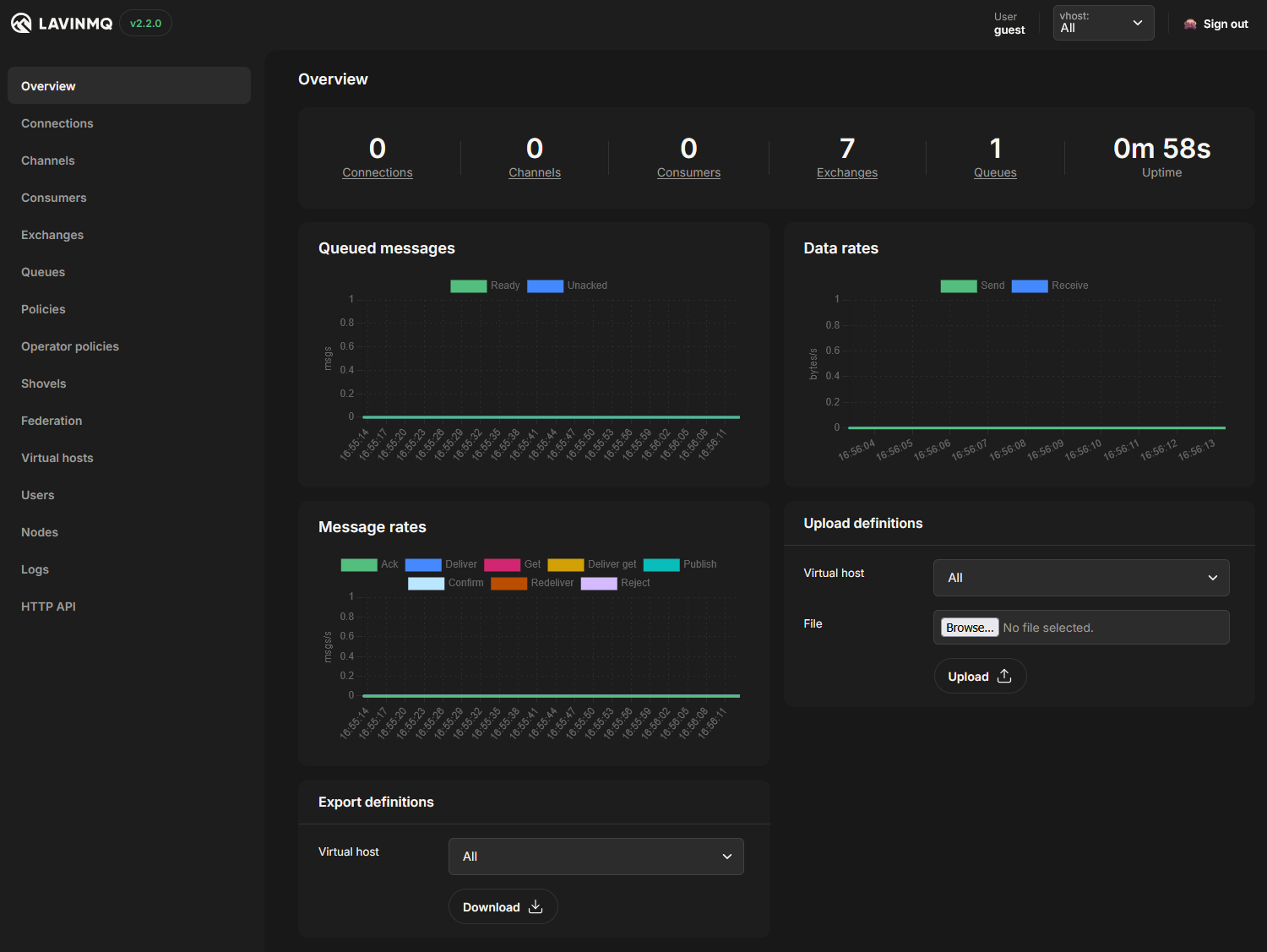
LavinMQ is a high-performance message queue & streaming server implementing the AMQP 0-9-1 and MQTT 3.1.1 protocols.
Built with Crystal for optimal efficiency.
sudo tee /etc/yum.repos.d/lavinmq.repo << 'EOF'[lavinmq]name=LavinMQbaseurl=https://packagecloud.io/cloudamqp/lavinmq/fedora/$releasever/$basearchgpgkey=https://packagecloud.io/cloudamqp/lavinmq/gpgkeyrepo_gpgcheck=1gpgcheck=0EOF
sudo dnf install lavinmq
Archlinux
The package is available on AUR,
it depends on gc-large-config (that conflicts with gc package package), it
is the very same gc package found in ArchLinux but compiled with
--enable-large-config.
Then use systemctl to start/stop/enable/disable it, e.g. systemctl start lavinmq.
OS X
Install LavinMQ with brew:
brew install cloudamqp/cloudamqp/lavinmq
Docker
Docker images are published to Docker Hub.
Fetch and run the latest version with:
For running LavinMQ on Windows, we recommend using WSL (Windows Subsystem for Linux). Install your preferred Linux distribution through WSL, then follow the installation instructions for that distribution above.
All AMQP client libraries work with LavinMQ, and there are AMQP client libraries for almost every platform. The LavinMQ website has guides for many common platforms:
LavinMQ delivers exceptional throughput performance on commodity hardware. On a single c8g.large EC2 instance with GP3 EBS storage (XFS formatted), LavinMQ achieves:
Throughput Benchmarks:
800,000 msgs/s – End-to-end throughput (16-byte messages, single queue, single producer/consumer)
Use lavinmqperf to benchmark your own setup, or review detailed performance data at lavinmq-benchmark on GitHub.
Features
Core Protocols
AMQP 0-9-1 protocol support
MQTT 3.1.1 protocol support
AMQPS (TLS)
AMQP over websockets
MQTT over websockets
Messaging Capabilities
Publisher confirm
Transactions
Dead-lettering
TTL support on queue, message, and policy level
CC/BCC
Alternative exchange
Exchange to exchange bindings
Direct-reply-to RPC
Queue max-length
Priority queues
Delayed exchanges
Message deduplication
Management
HTTP API
Users and ACL rules
VHost separation
Policies
Importing/export definitions
Consumer cancellation
High Availability
Replication
Automatic leader election in clusters via etcd
Other Functionality
Shovels
Queue & Exchange federation
Single active consumer
Stream queues
Feature Highlights
Clustering
LavinMQ can be fully clustered with multiple other LavinMQ nodes. One node is always the leader and the others stream all changes in real-time. Failover happens instantly when the leader is unavailable.
etcd is used for leader election and maintaining the In-Sync-Replica (ISR) set. LavinMQ then uses a custom replication protocol between the nodes. When a follower disconnects it will fall out of the ISR set, and will then not be eligible to be a new leader.
Stream queues provide an append-only log structure that allows multiple consumers to read the same messages independently. Unlike standard queues, messages in stream queues aren’t deleted when consumed, making them ideal for event sourcing patterns and multi-consumer scenarios.
Each consumer can start reading from anywhere in the queue using the x-stream-offset consumer argument and can process messages at their own pace. See Stream Queues in the documentation for more information on using Stream Queues.
Stream Queue Filtering
Stream queues support message filtering, allowing consumers to receive only messages that match specific criteria. This is useful for consuming a subset of messages without creating multiple queues. For more information on filtering, see the documentation.
MQTT Support
LavinMQ natively supports the MQTT 3.1.1 protocol, facilitating seamless integration with IoT devices, sensors, and mobile applications. Each MQTT session is backed by an AMQP queue, ensuring consistent and reliable message storage. Messages within these sessions are persistently stored on disk.
For retained messages, LavinMQ maintains a dedicated storage system that maps topics to their respective retained messages. These retained messages are also persistently stored, ensuring that new subscribers immediately receive the latest retained message upon subscribing, including those using wildcard topic filters. In a clustered environments, the retained message store is replicated across nodes.
Please note that Quality of Service (QoS) level 2 is not supported in LavinMQ; messages published with QoS 2 will be downgraded to QoS 1.
LavinMQ is built in Crystal and uses a disk-first approach to message storage, letting the OS handle caching. For full details on implementation, storage architecture, and message flows, see the Implementation details section in CONTRIBUTING.md.
Compatibility Notes
There are a few edge-cases that are handled a bit differently in LavinMQ compared to other AMQP servers:
When comparing queue/exchange/binding arguments all number types (e.g. 10 and 10.0) are considered equivalent
When comparing queue/exchange/binding arguments non-effective parameters are also considered, and not ignored
TTL of queues and messages are accurate to 0.1 second, not to the millisecond
Newlines are not removed from Queue or Exchange names, they are forbidden
GenBerry is a shell script which provide a minimal gentoo image for Raspberry Pi 0,
0W 1B, 2B, 3B, 3B+ and 4B in 32 or 64 bit version. You can see it as a
bootable and usable stage4 image. The other boards have not been tested yet.
By default, you will have the latest kernel and stage3.
It can also use qemu in order to performs further installation and configuration
tasks.
You can install the system directly on a
or build an
to put on several card or build a
to share on a network.
You can customize it with hostname, keyboard layout, timezone, kernel config,
config.txt and filesystem type. You can also enable the
communications or
the .
You can use it with any Linux distribution, BSD or macOS X except for functions
requiring qemu which need a gentoo based system.
Take a tour on the (always a wiP) for more specific documentation.
Requirements
An internet connection
A crossdev environment to compile the kernel:
aarch64-linux-gnu (rpi 3, 3+, 4)
armv7a-linux-gnueabihf (rPi 2, 3, 3+, 4)
armv6j-linux-gnueabihf (rpi 0, 0W, 1)
qemu static installed and packaged (optional: here you need a gentoo based system)
Installation
You have to clone the repository and switch to the root of the project:
git clone https://github.com/dervishe-/GenBerry.git
cd ./GenBerry
Configuration
GenBerry comes with several configuration files located in the GenBerry/Configs
directory. As GenBerry needs those files to perform its tasks, if you want to execute
it outside de GenBerry directory you will have to specify the Configs directory location
.
You can use the to configure the script
or directly with CLI options.
Options list
There are two types of options, the short ones which take an argument and the long
ones without any arguments
Examples
Create a simple sdcard for rpi4 on /dev/mmcblk0:
sudo ./GenBerry
Create an image for rPi 3B+ in 32 bit mode with f2fs and the kernel sources:
Once your card is ready, plug it in you Pi and boot. Then you have two possibilities:
If you used qemu options, well, just do what you want. There’s nothing more to do :).
If you didn’t used qemu options, your pi will execute a firstRun.start script
located in /etc/local.d/
The content of this script is available .
Basically, it will run udhcpc on eth0, sync the time, emerge dhcpcd, and wpa_supplicant
if wlan0 exists, delete itself and reboot.
BEWARE: This part of the first boot could be very very long depending of your
board as firstRun.start emerge some packages. Let the things go quietly at its end
😉 You can follow live what’s going on with the log file (tail -f …)
After this reboot, your pi will be available thrue eth0 or wlan0 if you gave a
wpa_supplicant.conf in option.
Participate
Do not hesitate to fill a ticket if you have suggestions, bug reports, found the
documentation not clear, or saw english faults (as you can read, my english is
far from perfect 😉 )
Welcome to the SOAP Web Services Playground.
This repository serves as a practical playground for exploring SOAP (Simple Object Access Protocol) web services using the Spring framework. Whether you’re new to SOAP or looking to refine your skills, you’ll find a variety of subdirectories here, each focusing on different concepts related to SOAP web services.
Repository Structure
This repository is organized into subdirectories, each dedicated to a specific aspect of SOAP web services. Here’s a quick overview of what you can expect to find in each subdirectory:
1. Introduction
Get started with the basics! This section provides an overview of SOAP web services, their advantages, and how they compare to other web service technologies.
2. Setting Up
Before diving into SOAP web service development, you’ll need to set up your development environment. This section covers the installation of required tools, frameworks, and libraries, with a focus on integrating Spring for efficient development.
3. Creating Your First SOAP Service
In this section, you’ll create your very first SOAP web service using Spring. Learn how to define a simple service, set up endpoints, and generate WSDL (Web Services Description Language) documents.
4. Message Structure
Understanding the structure of SOAP messages is crucial. This section delves into SOAP message components, including headers, bodies, and fault handling.
5. Data Encoding
SOAP supports various data encoding formats such as XML. Explore how to work with different data formats and ensure compatibility across different platforms.
6. Security and Authentication
Learn about securing your SOAP web services. This section covers authentication, authorization, and encryption techniques to keep your services and data safe.
7. Error Handling
No software is free from errors. Discover best practices for handling errors and exceptions in SOAP web services, providing meaningful feedback to clients.
8. Interoperability
SOAP web services can interact with services built on different technologies. This section explores strategies for ensuring smooth communication between SOAP and non-SOAP services.
How to Use This Repository
Each subdirectory contains its own set of tutorials, code samples, and exercises. To get the most out of this repository:
Navigate to the Relevant Subdirectory: Depending on the concept you’re interested in, navigate to the corresponding subdirectory.
Explore the Materials: Each subdirectory will contain its own README.md with explanations, code snippets, and examples. Follow the instructions to gain a deeper understanding of the topic.
Remember, learning SOAP web services is a journey, and this repository is here to support your exploration every step of the way. Remember to check back for more updates on this repository.
Contribution
If you’d like to contribute to this repository by adding more examples, fixing errors, or suggesting improvements, please follow the standard GitHub contribution process.
Disclaimer: This repository is intended for educational purposes only. The examples and techniques provided here might not cover every aspect of SOAP web services, and real-world implementations may vary.
AI Tutor: Personalized JEE preparation assistance with Google OAuth integration
Study Materials: Comprehensive resources for Physics, Chemistry, and Mathematics
Official Papers: Direct access to JEE Main and Advanced official papers and answer keys
Chapter-wise PYQs: Solved previous year questions organized by chapters
Real-time News: Latest JEE-related news and updates powered by GNews API
Contact Form: Email integration for user queries and feedback
🎨 User Experience
Modern and responsive UI built with Next.js and Tailwind CSS
Dark/Light theme support with system preference detection
Mobile-first design approach
Smooth animations and hover effects
SEO optimized with automatic sitemap generation
📚 Study Resources
Physics Resources: Complete study materials and reference books
Chemistry Resources: Comprehensive chemistry study guides
Mathematics Resources: Extensive math preparation materials
Additional Platforms: Integration with Unacademy, Physics Wallah, and Apni Kaksha
🤖 AI Tutor Features
Google OAuth authentication
File upload and attachment support
Markdown and LaTeX rendering for mathematical expressions
Chat history persistence
Real-time message streaming
Subscription management system
📰 News & Updates
Real-time JEE news from GNews API
Categorized news cards
Automatic content refresh
Mobile-responsive news layout
🔗 Platform Integrations
Unacademy: Direct links to Unacademy JEE courses
Physics Wallah: Access to PW study materials
Apni Kaksha: Additional study resources
Technologies Used
Frontend
Framework: Next.js 15 with App Router
UI Library: React 19
Styling: Tailwind CSS with custom animations
Icons: React Icons
Theme Management: next-themes
Markdown Rendering: React Markdown with KaTeX support
Math Rendering: KaTeX for mathematical expressions
Backend & APIs
Email Service: Nodemailer for contact form
News API: GNews API for real-time updates
Authentication: Google OAuth with @react-oauth/google
File Handling: Custom file upload system
API Routes: Next.js API routes with rewrites
Development & Deployment
Build Tool: Turbopack for faster development
SEO: next-sitemap for automatic sitemap generation
Analytics: Google Analytics integration
Ad Integration: Google AdSense support
Performance: Image optimization and caching
Getting Started
Clone the repository:
git clone https://github.com/Samya-S/jeechallenger-2.0.git
cd jeechallenger-2.0
Install dependencies:
npm install
Create a .env.local file in the root directory and add your environment variables:
# Email Configuration for Contact formAUTH_EMAIL=your-email@example.comAUTH_PASS=your-email-passwordSENDER_EMAIL=your-email@example.comRECEIVER_EMAIL=recipient@example.com# GNews API ConfigurationGNEWS_API_KEY=your-gnews-api-key# Google OAuth ConfigurationNEXT_PUBLIC_GOOGLE_CLIENT_ID=your-google-client-id# AI Tutor Backend (for production)# The app uses API rewrites to connect to the AI tutor backend
Upgraded the vanilla JavaScript project to a modern Next.js application with AI-powered features.
Note
This is a major update and managed in this repository
jeechallenger v1.2
This is version 1.2, made using HTML, CSS and vanilla JavaScript. The code is available at the main branch of the repository Samya-S/jeechallenger (archived) and at Samya-S/jeechallenger-v1.2 (archived).
This version is made using HTML, CSS and vanilla JavaScript. The code is available at v1.0 branch of the repository Samya-S/jeechallenger (archived).
Contributing
Contributions are welcome! Please feel free to submit a Pull Request.
Development Guidelines
Follow the existing code structure and naming conventions
Ensure responsive design for all new components
Add proper TypeScript types if applicable
Test on both light and dark themes
Update documentation for new features
License
This project is licensed under the MIT License – see the LICENSE file for details.
Support
If you find this project helpful and would like to support its development, consider becoming a sponsor. Your support helps maintain and improve the project.
There are multiple checks executed through the usage of Github Actions to verify
the health of the code when pushed:
Compiler warning/errors: checked using cargo check and
cargo check ---tests. Use cargo fix and cargo fix --tests to fix the
issues that appear.
Unit tests: check that all unit tests pass using cargo test.
Code style: check that the code style follows standard Rust format, using
cargo fmt -- --check. Fix it using cargo fmt.
Code linting: Lint that checks for common Rust mistakes using
cargo clippy. You can try to fix automatically most of those mistakes using
cargo clippy --fix -Z unstable-options.
Code coverage: Detects code coverage with cargo-tarpaulin and pushes
the information (in master branch) to codecov.
License compliance: Check using REUSE for license compliance within
the project, verifying that every file is REUSE-compliant and thus has a
copyright notice header. Try fixing it with reuse lint.
Dependencies scan: Audit dependencies for security vulnerabilities in the
RustSec Advisory Database, unmaintained dependencies, incompatible licenses
and banned packages using cargo-deny. Use cargo deny fix or
cargo deny --allow-incompatible to try to solve the detected issues. We also
have configured dependabot to notify and create PRs on version updates.
Benchmark performance: Check benchmark performance and alert on
regressions using cargo bench and github-action-benchmark.
Browser testing: Check the library works on different browsers and operating
systems using browserstack. Run npm run local
on the browserstack folder to try it locally. You’ll need to configure the env variables
GIT_COMMIT_SHA, BROWSERSTACK_USERNAME, BROWSERSTACK_ACCESS_KEY.
Development environment
Strand uses Github dev containers to facilitate development. To start developing strand,
clone the github repo locally, and open the folder in Visual Studio Code in a container. This
will configure the same environment that strand developers use, including installing required
packages and VS Code plugins.
We’ve tested this dev container for Linux x86_64 and Mac Os arch64 architectures. Unfortunately
at the moment it doesn’t work with Github Codespaces as nix doesn’t work on Github Codespaces yet.
Also the current dev container configuration for strand doesn’t allow commiting to the git repo
from the dev container, you should use git on a local terminal.
Nix reproducible builds
strand uses the Nix Package Manager as its package
builder. To build strand, first install Nix correctly
in your system. If you’re running the project on a dev container,
you shouldn’t need to install it.
After you have installed Nix, enter the development environment with:
nix develop
Updating Cargo.toml
Use the following cargo-edit command to upgrade dependencies to latest
available version. This can be done within the nix develop environment:
cargo upgrade -Z preserve-precision
This repository doesn´t include a Cargo.lock file as it is intended to work as a library. However for Wasm tests we keep a copy of the file on Cargo.lock.copy. If you update Cargo.toml, keep the lock copy file in sync by generating the lock file with cargo generate-lockfile, then mv Cargo.lock Cargo.lock.copy and commit the changes.
building
This project uses nix to create reproducible builds. In order to build the project as a library for the host system, run:
nix build
You can build the project as a WASM library with:
nix build .#strand-wasm
If you don’t want to use nix, you can build the project with:
cargo build
Build with parallelism
Uses rayon’s parallel collections for compute intensive operations